Showing posts with label best. Show all posts

Thursday, April 13, 2017

The Best Free Online Tools

The Best Free Online Tools


Web sekarang penuh situs yang luar biasa berguna yang memungkinkan Anda untuk melakukan apa saja secara gratis, dengan tidak perlu untuk men-download atau menginstal perangkat lunak pada PC Anda. Apakah Anda sedang mencari kamus online atau tesaurus, editor gambar atau video, data keuangan, terjemahan bahasa, alat untuk membantu Anda bermain Scrabble atau memecahkan petunjuk silang, atau apa pun di luar sana. Masalahnya, itu akan sulit untuk menemukan situs terbaik untuk pekerjaan itu.
iTools window
Berikut ini sebuah situs yang disebut iTools, yang merupakan portal satu halaman ke ratusan situs. Judul dari iTools adalah "Gunakan alat terbaik untuk pekerjaan", dan merangkum cukup akurat. Kebetulan bahwa warna tema situs kuning, sebagai halaman ini link adalah sebagai berguna daripada Yellow Pages yang pernah digunakan.


Anda bisa memeriksanya di www.itools.com dan Anda harus tidak lebih dari browser web untuk melakukannya.

Go to link download

Read more »

Tuesday, April 11, 2017

10 best new Android apps of February 2017

10 best new Android apps of February 2017


Android apps come out every day that it’s difficult to keep track of them all. It’s difficult to usurp the best of the best but if you’re getting bored with what you’ve got and want to try something new, check out the best new Android apps from the last month!


1. Ever – Capture Your Memories

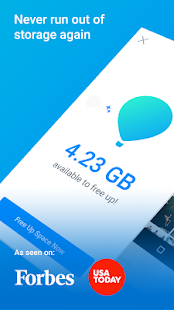
Everalbum is one of the many photo apps out there trying to pull together all your images from Facebook, Instagram and other popular services to bring them all into one easily-accessed place.

Ever protects your life’s photos so you never have to worry about losing? them. Across devices and photo sources, Ever automatically backs up your photos and videos so you can access them at any time. You can then free up space on your device by removing photos from your camera roll.


2. Next Lock Screen

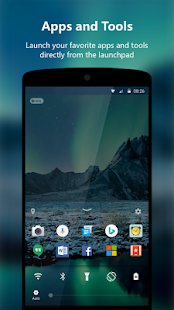
Next Lock Screen is the ultimate lock screen for busy professionals. Next helps protect your phone from unwanted access by others, and you are instantly more productive. It is an excellent productivity locker app and companion for your everyday life.

3. 1Password – Password Manager

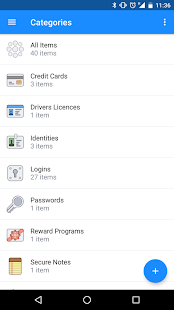
1Password remembers all your passwords for you, and keeps them safe and secure behind the one password that only you know.

1Password isn’t a new app, but it is a good one and last month’s update on Android brought a long overdue feature – biometric support. That’s right, now you can use your fingerprint reader to log into 1Password and unlock items too.

4. Energy Bar

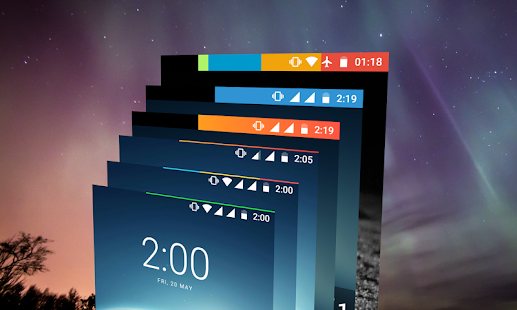
Adds a configurable Energy Bar at the top of your screen indicating current Battery level. And just when you think, such a simple battery bar can display such a crucial information, try plugging in your charger – you’ll be amazed by the details of the animation you’ll see. The pulsating animation and the bar together not only indicates the current Battery level but also how much has the Battery charged since you plugged in your charger.

5. ADW Launcher 2 (Beta)

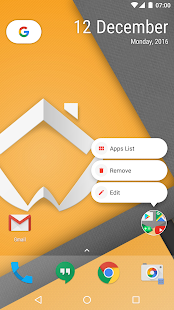
ADW Launcher 2 has been in beta for a while but had it’s grand re-opening in January. The new ADW has a ton of features, including a modern design, custom widget building, theming, icon pack support, and tons of under the hood changes. The modern design reflects that of other modern browsers such as the Pixel Launcher and Nova Launcher. It also backs up these new features with decent performance and low battery drain.
6. DC Legends

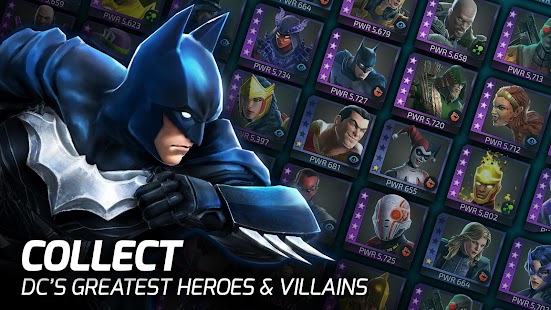
DC Legends features various characters from the DC comics universe, including Batman, Superman, The Joker, and The Flash in RPG-style gameplay. In the game, you collect and form teams of heroes and villains to battle against Nekron and the Manhunters. Each hero/villian has different moves they can perform, so you may have to experiment a bit to progress in the game.

7. SystemPanel 2

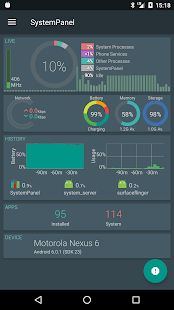
 SystemPanel 2 is the latest system monitor app from NextApp. It has been entirely rebuilt from the ground up and looks a lot different from its predecessor. It features Material Design, the ability to monitor most systems from your Android device, and root access for even more stats if you’re rooted. Every feature is available in the free version and the pro version simply removes advertising. The only bad part is that Android Nougat is very strict on what is running on your device. Otherwise, it looks good and it works well.
8. Toontastic 3D

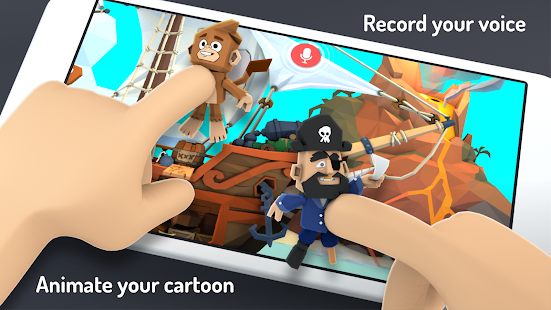
Toontastic 3D is a fun little Google app that lets you create animations. It comes with a variety of characters and objects that you can use to get started. You can also make your own if you’re interested. Along with creating the animations, you can also narrate them, choose from three story arcs to help you along, and you can export the videos and share them when you’re done. It’s not professional level, but it’s still pretty fun to use. It’s also free.

9. busuu – Easy Language Learning

Busuu is another rather well-known app. It features support for about a dozen languages. The app includes the basic stuff like vocabulary and grammar lessons. It also has dialogue and writing lessons to help round out your education. The app boasts that 22.5 hours within its walls are equal to about one semester of college. It focuses on the 150 most important topics and 3000 most commonly used words in each language. Like most, you’ll have to subscribe to get access to everything.

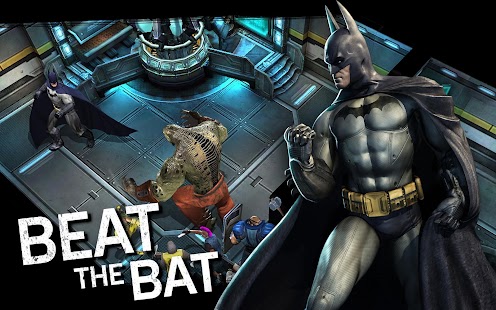
10. Batman: Arkham Underworld

Batman: Arkham Underworld is a strategy adventure game that lets you play with the villains of the Batman universe. You’ll be responsible for creating a hideout, defending it from others in the online PVP, and create guilds with friends. In the game, guilds are referred to as Crime Syndicates. There is also a campaign mode that you can play through. It’s a freemium game and it definitely looks and feels like one. However, it’s a fun little title for Batman fans if you can get passed that. It’s worth a shot at least.

Go to link download

Read more »

Thursday, April 6, 2017

5 Best Photo Editor Apps For Android

5 Best Photo Editor Apps For Android


Top 5 photo editor apps for android

Aajkal lagbhag sabhi peoples android phones ka use karte hai aur aapko photography ka shounk hai to aapne apne phone me kuch photo editor apps bhi installed honge but jaruri nahi ki aapke phone me jo photo editor apps hai unse best editing hoti ho isliye hamne 5 best chuninda photo editor android apps ki list taiyar ki hai jinke dwara aap apni photos ko badhiya look de sakte hai.

5 Best Photo Editor Android Application


1. Picsart

Picsart review in hindi

Ye mera pasandida photo editor app hai aur mene ise 1st number par isiliye rakha kyoki isme wo sabhi feature hain jo ki photo editor me honi chahiye. isme bahut se aise options aur facilities hain jo ki ise baaki photo editors se bilkul alag banati hain.

Read Also
           ? Picsart me custom font kaise add karte hain.

Picsart App Ke Features


?100+ filters and effects
? Crop tools
? Clone tools
? Collage maker
? Drawing tools
? Painting tools
? Artistic brushes
? Add photo tool
? Add text tool
? Photo camera
? Stickers
? Frames
? Emojis
? Layers
? Overlays
? Masks
? Shape maks
? GIF maker
? Share your photo with social media
                 Download Picsart

2. Prisma

prisma review in hindi

Prisma ke baare me to aapne suna hi hoga. ye world ka sabse jyada download kiya jane wala photography app hai, prisma launch hone ke 1 week ke andar hi kaafi popular ho gaya tha. prisma painting effects ke liye jana jata hai.

Read Also :
           ? Prisma app review
           ? Prisma app ki tricks

Prisma App Ke Features


? 30+ painting effects
? Mordern art filters
? Stunning photo effects
? Make your artwork
? Share your artwork
? Fast sharing
                 Download Prisma


3. Adobe Photoshop Express


Adobe photoshop express bhi bahut hi accha photo editor app hai. ye thoda bahut picsart ke jaisa hi hai. isme bhi photo editing ke liye bahut sare tools hain. isme limited effects hai lekin sab ek se badhkar ek hain. isme oil paint effect bhi diya hua hai.

Read Also :
           ? Android phone se photo background remove kaise karen.

Adobe Photoshop Express Ke Features


? Crop tools
? Collage maker
? Drawing tools
? Add text tool
? Photo camera
? Stickers
? Frames
? Masks
? Remove red eye & pet eye
? Auto fix
? Blemish removal
? Color tools
? One touch filters
? Borders
? Share image
               Download Photoshop

4. Airbrush


Airbrush best selfie editor app hai. is se apni selfie ko natural beauty look diya ja sakta hai. airbrush selfie editing ke liye best hai but aap chahe to is se other photo bhi edit kar sakte hai. isme apni pic ko natural beauty look dene ke liye bahut se filters, effects aur tools diye hue hain.

Airbrush Ke Features


? Blemish remover
? Unwanted spot remover
? Teeth whitening tool
? Perfect complexion
? Glowing skin tool
? Smoot skin tool
? Lighting skin tool
? Concealer
? Bright eyes tool
? Enhance eyes tool
? Add depth to your photos
? Blur tool
? Reshape tool
? Resize tool
? Lenghten tool
? Beuty filters & effects
? Share your artwork with social media
               Download Airbrush

5. Cupslice Photo Editor


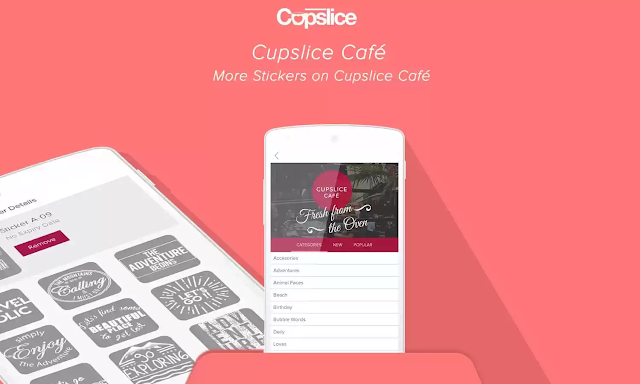
Cupslice photo editor stickers ke liye jana jata hai. isme 400 se bhi jyada stickers hai jinme se bahut se text & quotes stickers hain. stickers ke alawa bhi isme bahut se features aur tools hain photo editing ke liye. isme bhi natural beauty tools aur effects diye hue hain.

Cupslice Photo Editor Ke Features


? Fast processing photo editor
? More than 400 Stickers and goodies on Cupslice Café
? Typography Quote
? Trending topic words, phrases or hashtags
? More than 50 Advanced Photo Editor Effect
? Frames
? Crop photo
? Front facing camera - perfect for you
? Live previews of all effects
? Black & White adjusment
? Brightness & Contrast adjusment
? Hue/saturation adjusment
? Color Balance Adjusment
? Simple Photo Editor
? Upload photo to Instagram, Facebook, Twitter, Path, Pinterest, Line, Whatsapp, etc
Flash
? Create stunning collages effect
? Rotate photo
? Save photo to your gallery
? Square maker
               Download Cupslice

Friends aapko ye post kaisi lagi hame comment me batayen aur ye post apne friends ke sath bhi share karen.

Go to link download

Read more »

Tuesday, April 4, 2017

The Best Operating Systems For PC Gaming 2017

The Best Operating Systems For PC Gaming 2017


Here’s a list of the top operating systems for PC gaming

The last few years have seen a decline in the sales and market share of laptops since the arrival of smartphones, tablets and phablets. However, there are still people who look for heavy-duty laptops for gaming purpose. As a result, companies too have been launching powerful gaming laptops periodically keeping the requirement of the gamers in mind. There are several high-end gaming laptops available in the market from companies like HP, Dell, Asus and more.


Besides having a high-end gaming laptop, it is also necessary to have a powerful operating system that can power your device and influence the experience in playing video games on the laptop.

In this article, we bring to you the best operating systems for PC gaming and experience. Let’s start the list of the best gaming operating systems in order of the best to the worst.


Windows 10

Windows 10, the latest operating system from Microsoft is not a let-down when it comes to gaming. Windows 10 is highly optimized and efficient and brings with it new features that is focused on the Xbox app and games bar. Today, you can unify your gaming experience between the Xbox One console and PC games. You can even stream games from your console to your PC. Additionally, it also includes DirectX 12, which is the latest version of Microsoft’s very popular platform for powering games.

The above new features that are designed to make your gaming experience much better along with the fact that Windows 10 will continue to receive regular updates in the future makes it the best OS to use on your PC gaming laptop. You will future proof your laptop as Microsoft will continue to update this software for years to come.


Windows 7

Windows 7 has undoubtedly been Microsoft’s most popular operating system till date because of its rock solid and quick performance, stability and efficiency. Also, with the inclusion of the latest DirectX software, it became the go to version of Windows for gamers, as Microsoft enabled it to run the latest software including the latest versions of DirectX. Its customization feature allowed the users to make changes to the settings that let the users to get most out of their performance. It also made it more attractive to gamers as they updated their systems with the latest hardware.

With the introduction of Windows 10, it has lost its dominance to the worthy successor. But, Windows 7 is still used by many of the gamers for their gaming laptops and desktops. In 2020, Microsoft will be withdrawing support for Windows 7, which means you have time till then to update to Windows 10.


Windows 8

Windows 8 failed to get the same recognition, widespread adoption and support as its counterparts, Windows 7 and Windows 10 have got. Since Windows 8 is not resource heavy, this helps it translated into faster loading times and better performance compared to Windows 7. Although its interface may be bad, it actually does a pretty good job in running games. Also, Windows 8 is expected to receive continued support for several years, which means that several game makers will continue to release games compatible with Windows 8. Basically, if you don’t want to upgrade to Windows 10 and if you have the right hardware on your laptop, Windows 8 should do a great job at running all of your favorite PC games.

macOS

Macs are always considered rubbish for gaming. However, since Macs started to use the same Intel processors as Windows PCs, the Mac gaming scene has really picked up. The Mac machines today include good graphics cards and plenty of memory. While macOS is a sturdy and efficient operating system, there just aren’t as many games made for the platform. Of late, one can see games released for both the PC and the Mac; however, games released for Mac are often released months or even years after their PC counterparts. If you are looking to use the most popular and very best games, then Windows should be the best choice.


Linux

By far, Linux is the worst operating system to play games on your PC, as it does not have much support from gaming developers. While Steam has an entire section devoted to games for the Linux platform, you will not be able to find many games basically made for the Linux platform. in terms of presence, Linux is very low especially on home machines. In spite of this, there are methods of running PC games using software such as WINE on Linux platforms. While it may not give the best gaming experience, but those who love the security and freedom of Linux can find ways to run some of your favorite games.


Go to link download

Read more »

Sunday, April 2, 2017

Top 5 Best Web Hosting Providers Of 2017

Top 5 Best Web Hosting Providers Of 2017


List of Top 5 Best Web Hosting Service Providers of 2017

Welcome back to ithubspk.In this article I came up with top 5 best web hosting providers of 2017. If you are a business owner and want to improve your business reach. You must have a website because this is 21th century and old fashion strategy wont work now. Websites are a great way to inform people about your business and services you provide. People can go to your website and easily learn what services and products you offer. So to build a website for your business you need domain name, web developer and web hosting as well.


Before building a website every owner have a concern that which is the best web hosting service provider ? Dont worry here Ill be providing 5 best web hosting providers which are best in up-time, support, load time, cheap and with high security. Now before moving to the main topic, let me clear some basic questions.

What Is Web Hosting?

If you are thinking to build a website, you need Web Hosting to keep your files and website data online. Web Hosting means a server which is always online and keeps your data always available for all the internet users. I think now your concern for what is web hosting is clear.

Why you need paid Web Hosting?

There are many free web hosting providers on the Internet. But I personally advise you not to use Free Web Hosting because these providers are not reliable and you can end up with losing all your data. So if you are really serious about your online business or website dont use free web hosting. I always prefer to choose paid Web Hosting Service which is reliable and best in service. If you are using paid hosting, you always have rights to claim if you loose your data due to fault of hosting providers.

Now come to the main topic. Below is the list of top 5 best web hosting provider of 2k17. I searched a lot and compared many hosting providers and then I came up with top 5 hosting providers. Use any of this list and be worry-less.

Top 5 Best Web Hosting Providers of 2017

1. Blue Host


Blue Host is one of the largest and fast growing web hosting companies in the world. Founded by Matt Heaton in 1996 and based in Utah, USA. It is the best Web Hosting Company which provides lot of features, tools and support to its clients. Blue Host collectively hosts move than over 1.9 Million domains. It is very easily available as well as cheap too. Plans starting from 3.49$ per month. This is what makes it best and top hosting service provider.

Features of Blue Host:
Unlimited Space
Unlimited Domain Hosting
Unlimited Emails
Free Templates
Free Site Builder
Instant Setup
Unlimited File Transfer 

30 Days Money Back Guarantee.
Visit:www.bluehost.com/

2. Inmotion Hosting

Inmotion Hosting is also one of the best web hosting providers. Inmotion established in 2001, California. It provides hosting service with lot of features and with best up time. Inmotion Hositng offers Linux Web Hosting which is kind of limitation but best in security and up-time. There are three shared hosting plans Launch, Power and Pro. Unlimited domain hosting is available only in Pro plan. Inmotion Hosting have won Gold Award in web hosting. 

Features of Inmotion Hosting:
Unlimited Disk Space
Unlimited Bandwidth
Unlimited FTP
Free Data Backup and Restore 
cPanel Interface
Free SSD Drives
90 Days Money Back Guarantee. 
Visit:https://www.inmotionhosting.com/

3. Godaddy

Godaddy is known for reliable as well as cheapest web hosting provider in the world. Godaddy offers affiliate plan as cheap as 1$  per month, which is the cheapest web hosting plan. They have customized cPanle which can be customized according to your needs. They have many plans, you can choose one as per your needs. Up time is also generally good but it may very from server to server though.
Features of Godaddy Web Hosting:
Unlimited Disk Space
Unlimited Bandwidth
Cheap Plans
Customized cPanel 
Rock-Solid Uptime 
Excellent Support
Windows and Linux Based Servers.
Visit:https://www.godaddy.com/

4. Green Geeks

Green Geeks is one of the best and fastest growing web hosting companies. It is founded in 2006 and based in LA, California. Green Geeks is the best web hosting provider which helps you to run your website from scratch. One thing that makes Green Geeks best in world is they use green energy. They use wind energy to counterbalance the carbon output of their servers. If you are using Green Geeks, it means you are not causing any harm to the environment.

Features of Green Geeks Hosting:
99.9% Uptime
Better Hardware
Nightly Backup 
SSH Access
Free Web Transfer 
Eco Friendly 
Many Hosting Award Winner 
30 Days Money Back Guarantee
Visit:https://www.greengeeks.com/

5. Host Gator

Host Gator is one of the best and most used best Web Hosting providers. It was founded in 2002 by Brent Oxley, based in USA. They provides all type of hosting such as Wordpress hosting, Cloud hosting, Web hosting, VPS, Dedicated hosting, Reseller etc. Best thing which makes Hostgator best is full freedom of bandwidth and disk space, they dont put restriction on it.

Features of Host Gator Hosting:
Unlimited Bandwidth 
Unlimited Space
99.9% Uptime Guaranteed
Free Templates 
Easy Control Panel 
45 Days Money Back Guarantee
24/7 Support
Visit:https://www.hostgator.com/

Finding the best and top web hosting provider for your website is very important. Because hosting is the base of your website and website plays a very important role in growing your business from start to top. Above mentioned list is of top 5 best web hosting providers of 2017. I hope this article helped you in finding best web hosting provider for your website.best web hosting


Go to link download

Read more »

Wednesday, March 29, 2017

Best strategy games for Android 2017

Best strategy games for Android 2017


Strategy games work on Android tablets and smartphones very well and fortunately there are a lot of best Strategy games representative of the genre. In this list, we present you the 20 best strategy games for Android.
Best strategy games for Android free Download

Tactile Wars

I love the graphics of this game, It has a unique contradiction. The characters have a very cute and sweet appearance but, what you have to do with them is coloring although in reality it is as if you killed. You are a general of a colored army and your soldiers will shoot their paintballs at the enemy under your orders. Your fingers are going to become a weapon of mass destruction. Best strategy games for Android 2017
Man and Van Removals Stockwell, UK
Blood Bowl

Blood Bowl is the one of the famous board game Warhammer Fantasy. With it you can form your team with one of the six fantasy races of the Warhammer universe (humans, orcs, sylvan elves and warriors of chaos).Blood Bowl
Its similar to a bloody American football in solitary games of the single player mode without running out of your head or you can fight for the Blood Bowl trophy in the campaign mode, which allows you to add victories and accumulate experience to develop your Team and their players.
In the multiplayer mode you can face a friend on your tablet in “Hotseat” mode or play online in a huge permanent league in which you can create and develop your teams.

Hackers


Internet things trembles. With this game you will become an authentic hacker. It infects the virtual networks of your enemies in this cyber war but don’t neglect the security of your own network. It is a world battle in which there is no hiding place, only the strongest can win. 


Throne Rush

Whether there will ever be a new part of the Age of Empires series again, remains to be seen. Chances are it, but unfortunately very poor. After all, can reminisce old fans with Throne Rush. Everything here is the expansion of the base to huge battles in it, which has the legendary games of Ensemble Studios so popular.

Best strategy games for Android 2017

Lego Create Iceland


It’s one of the best strategy games, In this free Android game you can build your own Lego world from the ground. Here you are almost no limits. From a port on houses to airports Everything about build, have to your desire.Thanks to the easy control and many explanations Lego Create Iceland but not just for the young at heart Lego fans, but also what kind of small gamers who want to be on Android device your imagination run wild.

Great Little War Game 2

When Android strategy game Great Little War Game of the name says it all: On relatively small and concise maps your your troops sent into battle and have to turn off the enemy general usually. What makes this strategy game for Android is that there are many different units, which offer special abilities.Only those who cleverly uses its advantages and strikes the right moment, in this Android strategy game has a chance.

The battles always running around based off – until your heads off, then the enemy – by the varied units but affects the game is always dynamic and it is often far from easy, overpower the enemy. Until you have mastered all of the more than 60 missions, it may take.


Plus points collects the Android strategy game so mainly by the scope and the gameplay, less successful is the presentation. Although the units look very nice, compared for example with Tactile Wars or Autumn Dynasty pulling “small war” but clearly the short straw. Vector, in a strategy game but is known not all!

Go to link download

Read more »

Saturday, March 25, 2017

Best Racing games for Android 2017

Best Racing games for Android 2017


Best Racing games for Android phones and tablets, Which can be played offline & online free download right here apk free download.


This category is especially populated with titles, I have made a selection of the best racing games but, always trying to cover different themes. There are for pilots looking for realism, for those who seek to compete, and for those who just want to have a good time. Your positions! racing game android offline.

1. Asphalt 8: Airborne


It comes with real cars, like the Lamborghini Poison but, now we will make them fly. Through the numerous ramps and jumps of the different scenarios, we can do tricks with our sport. Asphalt 8: Airbone has 13 tracks and more than 95 high-end sports car models. The simulation is justify quite aside and is a more Arcade type game that shines in the graphical section and in the effects of audio and sound. A time of uncomplicated speed.

2. Real Racing 3


Real Racing 3 is the best pilot simulator game For serious piloting and a realistic simulation. Each vehicle behaves according to its type of traction, its weight, its chassis, etc … In Real Racing 3 we will have to control the annoying sub-races and fun surprises and the transfer of masses, of course. It has 12 variety tracks and more than 100 official cars among which are Lamborghini, Porsche, Mercedes-Benz, Audi, and Ferrari. Graphic quality to the latest and numerous multiplayer modes

3. Need for Speed: No Limits


Launched in early 2015, the arrival of this title was one of the most anticipated Android games. With realistic graphics and interesting circuits, No Limits is one of the main alternatives for enthusiasts of the genre, along with Asphalt and Real Racing.

4. GT Racing 2


Another game from Gameloft just like Asphalt 8 but, this time from the side of reality. This may be one of the best racing simulator for mobile devices. Its physical model offers unparalleled reality. Enjoy your selection of 81 cars from the best 37 manufacturers in the world. You will be able to drive 13 tracks from 4 different points of view and get to win one of its more than 1400 events. If you are an expert user try to modify the performance of your vehicle in the garage to leave behind your opponents.

5. Real Drift Car Racing (Best Drifting game)


For drift lovers we have Real Drift Car Racing. There are two versions: a free in which you will skid for four tracks and another version of payment in which you will have the game completely unlocked for $ 0.95. The difficulty can be customized so that in the beginning you do not spend the day hitting the biondas of the track.


Go to link download

Read more »

Who are the Best Structured Settlement Buyers

Who are the Best Structured Settlement Buyers


If you search for “top structured settlement buyers” on Google, the big players in the industry will likely be in your search results—JG Wentworth, Peachtree, and Novation. They gain popularity because they spend big money to make sure you see their messages. But the best structured settlement buyers spend their resources on getting you the most money for your settlement, annuity, or lottery winning payments. It’s vital to know which qualities to look for when choosing the best structured settlement buyer for your annuity.

After all, you’ll be working together for weeks to complete the legal transaction in order for you to receive cash.

Quick Turnaround
For any functional relationship, communication is key. So why should it be any different with the buyer of your structured settlement? When you call into the big structured settlement companies, you’re likely be put on hold and sent from person to person. You don’t get an immediate response and you’re treated as just another seller. At RSL Funding, we treat all of customers with the respect they deserve. As the seller, you will get a quick reply to any questions and/or concerns you have as well as an immediate quote so you can know right away what your lump sum will be should you move forward with the transaction.

A Great Track Record
Before committing to the best company to buy your structured settlement, find out what others are saying about them. Ask family, friends, and work associates if they have ever had experience with any, and what it was like. Check online as well too, but make sure you apply a certain level of skepticism when reading reviews on sites like Yelp or YellowPages. The BBB provides a good overview of the company you are interested in. Notice if the firm is registered, and all reputable ones will be, as well as their rating (like grade school A+ is the best and F is the worst). Lastly, read the customer complaints and see how many have been resolved.

Company Longevity

There is something to be said about a business that has lasted throughout the years. A company’s longevity is a true testament that they have their act together. But when it comes to choosing the best company for your structured settlement, sometimes how long a firm has been around isn’t enough. Do research to determine if the firm has ever filed for bankruptcy, had a massive layoff, or have been in the news for questionable practices—all of which are red flags.

How Do You Know Which Company is the Best to Buy Your Structured Settlement?

The only way to know which company is the best structured settlement buyer is to factor in all the criteria listed above, all of which are interconnected. A company with integrity will be able to deliver a quote swiftly, and will be easy to get a hold of. Moreover, a reliable company will have a trail of satisfied customers who have left positive reviews and testimonials.

RSL Funding has been meeting and exceeding all the benchmarks for being one of the best structured settlement buyers around. With an A+ rating from the BBB, RSL Funding has a long-standing reputation of forming partnerships with people just like you to make sure they get the most money in a timely fashion.

It’s easy to get started. When you’re ready, simply call (800) 543- 6513 or visit our homepage and enter in your information to receive a free quote. You’ll work closely with one of our specialists that will always promptly get back to you.

Go to link download

Read more »

Friday, March 24, 2017

Best VPN for Android and PC in 2017

Best VPN for Android and PC in 2017


Best VPN for Android (and PC) in 2017
What’s a VPN? It stands for Virtual Private Network and that’s exactly what it is: a virtual network that lets remote users connect to a private network, without a direct physical connection (that is, even if not all users are on the same Local Area Network, or LAN). This can be used by corporations, for example, to allow their employees to remotely and securely connect to the company’s network resources without having to be in their office.


In the most commonly used context on the Internet, using a VPN specifically refers to doing so to gain a more secure and private connection to the Internet (e.g. when using a public network) or to circumvent geographical restrictions. It still works the same way as described in the first paragraph: if using a VPN provider, for instance, you’ll be connecting to the Internet through that provider’s servers. Depending on the reason you’re using a VPN, there’s therefore a lot of trust involved when choosing a provider.

ur top picks

Having one “top” pick wouldn’t be possible unless we ignore some of the needs we outlined above. Instead, here are our top three picks — each is suitable for a different reason:

Privacy: if you’re primarily looking for a privacy-friendly VPN provider, PureVPN is a good choice although it will cost you slightly more than other providers. That being said, you can get a lifetime subscription for $69 through the XDA-Developers Depot.
  PureVPN: Lifetime Subscription
Bypassing restrictive networks: despite being a bit expensive, VPNSecure is an excellent choice for this. Fortunately, you can grab a lifetime subscription is available from the XDA-Developers Depot for $39. A free trial is also available.
  VPNSecure: Lifetime Subscription
A good balance: want something that strikes a fairly good balance between all the needs we’ve highlighted above? Private Internet Access will do that, with acceptable prices and a good list of features. You can get a subscription for two years through the XDA-Developers Depot for $60 only.
  Private Internet Access VPN: 2-Yr Subscription
It’s worth noting that no VPN provider is perfect: always do your own research and make sure it fits your needs! Another provider or even a self-hosted VPN might be the best choice for you. While there are dozens of VPN services out there, we specifically looked at the ones available on XDA Depot. Buying products and services from Depot supports XDA.


Go to link download

Read more »

Monday, March 20, 2017

Best VPN For Android 2017

Best VPN For Android 2017


A virtual private network (VPN) extends a private network across a public network, such as the Internet. It enables users to send and receive data across shared or public networks as if their computing devices were directly connected to the private network. Applications running across the VPN may therefore benefit from the functionality, security, and management of the private network.[1]
Virtual Private Networks may allow employees to securely access a corporate intranet while located outside the office. They are used to securely connect geographically separated offices of an organization, creating one cohesive network. Individual Internet users may secure their wireless transactions with a VPN, to circumvent geo-restrictions and censorship, or to connect to proxy servers for the purpose of protecting personal identity and location. However, some Internet sites block access to known VPN technology to prevent the circumvention of their geo-restrictions.


SuperVPN Free VPN Client

SuperVPN, total free VPN client.
Easy to use, one click to connecting VPN.
Unlimited bandwidth and unlimited free trial time.

* Protect your privacy, keep you safe from 3rd party tracking
* Unblock geographically restricted websites
* No registration required, no settings required
* No speed limitation, no bandwidth limitation
* One-click to connecting VPN
* No root access needed
* Encrypts your internet traffic
* Top server speed & reliability
* Using most secure VPN solution

The app provides 20 days trial. After 20 days, you can use the app for 60 minutes each session. When session ends, a simple reconnect will get another session.

Betternet Free VPN Proxy App

Betternet VPN is a free and unlimited VPN (Virtual Private Network) proxy for Android devices; no registration needed.

Install Betternet VPN for the following features:

? Unblocked Websites and Apps

You can unblock any apps or websites using Betternet VPN. Now you can access social networks such as Facebook, Twitter, Youtube, and Snapchat, etc. or other blocked websites from anywhere, bypassing the government censorship and Geo-restrictions.


? Anonymous Connection and Privacy Protection

Using a VPN, your IP and location will be changed and your activities can no longer be tracked on the Internet. Betternet VPN service is your privacy guard and better than web proxy servers. 

? Secure Your Device

Betternet secures your Android device’s connection while you’re connected to public WiFi hotspots or cellular data networks. It works just like a free proxy but it’s even more secured. Your password and your personal data are secured and you are protected from hacker attacks.

? Super Fast Speed

Betternet is fast! It detects your location automatically and connects you to the nearest and fastest server. As a result, your connection will be much faster than any other VPN or proxy providers.
Hola Free VPN Proxy

Unlimited FREE VPN | Open the web and browse safely


FEATURES
• The only VPN that gives you simple access to your favorite content
• Freedom to view applications and websites from around the world
• Browse the web privately & anonymously
• 100% Free
• Switch countries with ease


Welcome to a Better Internet!
* Hola is a free peer-to-peer VPN service, that works by sharing idle resources of its users to create a more open Web.
* Hola keeps its service free by providing a paid-for, commercial version of the VPN service to businesses.
* Read more about the Hola network .
• Access sites blocked in your country through an innovative peer to peer network
• Accelerates browsing
• Reduces data costs
More info at https://hola.org/faq 
VPN Proxy Master-Free security

Non username, Non password, Non registration, non bandwidth limitation!
VPN Proxy Master - The best free & unlimited vpn tunnel for android to unblock sites, watch online video, bypass blocked apps, secure WiFi hotspots and browse privately & anonymously.
Brings a high speed and encrypted VPN connection to your smartphone or tablet.
Unblock your favorite websites and apps with worldwide free vpn proxy any time.
Enjoy multiple proxy server to bypass blocked website and apps as if you were in another country. 
Bypass location restrictions, internet filters and censorship at super high speed.
Bypass firewalls of school wifi when you are at work or school. 
Secure your internet connection under WiFi hotspot. 
Browse anonymously & privately without being tracked. Hide your IP and let you enjoy private browsing. 
Protect data privacy, personal information security and internet security.
Works with WiFi,LTE, 4G, 3G, and all mobile data carriers.
Encrypts data using OpenVPN protocols (UDP / TCP).
Please dont download BitTorrent, any P2P will get account blocked!

Turbo VPN – Unlimited Free VPN


100% free VPN! High VPN speed! The best unlimited free VPN clients for android. Turbo VPN – Free VPN proxy, connect as a hare to unblock sites, WiFi hotspot secure and protect privacy.
Fastest - Connect successfully as a hare with high VPN speed.
Easiest - One tap to connect to VPN proxy server.
Most Stable - Have lots of free cloud proxy server to provide better VPN service.
Turbo VPN – Free VPN proxy,
Bypass the firewalls as school free VPN proxy for school wifi and school computer.
Unblock websites with free VPN proxy server. It can also unblock video not available in your country.
Protect your network traffic under WiFi hotspot Browse anonymously and securely without being tracked. Enjoy private browsing.
Works with WiFi, LTE, 3G, and all mobile data carriers.
Encrypts data using OpenVPN protocols (UDP / TCP).
Free download this light android VPN APK now.

Opera Free VPN - Unlimited VPN

Opera VPN blocks ad trackers and lets you change your virtual location. Unblock more content and access your favorite websites and apps from anywhere - completely free.

With Opera VPN, you get:
• One of the fastest, most reliable VPN services
• Unblocked access via your choice of five virtual locations (with more coming soon)
• The ability to determine WiFi network security level, as well as connection encryption and protection from threats 
• A built-in ad tracker blocker to stop advertisers from following you around the web

Opera VPN is one of the best and fastest ways to access more of your favourite online content for free. With super-fast VPN servers and other premium features included for free, Opera VPN is a smart choice for you.

Opera VPN is a service provided by SurfEasy Inc., an Opera company. Opera’s 20-year history of web innovation enables more than 350 million people worldwide to do what matters most to them online. Get the performance you need from people you can trust.

Get it now!

Hotspot Shield Free VPN Proxy

Disguise your online identity and access blocked apps and sites with Hotspot Shield, while keeping your mobile activities anonymous, private and secure!

Hotspot Shield VPN Proxy is the most trusted security, privacy and access platform with top performance on speed, stability and security. Hotspot Shield gives you true online freedom – bypassing geo-restrictions and accessing world’s content from anywhere, with just one tap. 


? Why Hotspot Shield

? Unblock geo-restricted contents: Encrypt all your traffic and get access to global media, video, messaging or social apps and networks.

? Secure all online activities: Hide your IP address, identity, and location from trackers, and enjoy maximum privacy and security.

? FREE or UNLIMITED: Use the basic features for free (forever), or simply upgrade to Elite for unlimited features!

SpeedVPN Free VPN Proxy

SpeedVPN, Best Free VPN client.
One click to connect, multi locations to select.
Unlimited free time and premium bandwidth.

• One-click to connecting VPN
• Unblock geographically restricted websites
• Multi locations to connect including France, Canada and United States
• Speeds up your network browsing
• Get 180 minutes free time for each connection, connect as many times as you like
• Before connection ends, one-click to extend the connection time to 60 minutes, extend as many times as you like
• Protect your privacy, prevent tracking
• No registration required, no settings required
• No system root required
• reliability server and premium traffic
VPN Master

What do you expect from a great VPN app?

Go to link download

Read more »