Showing posts with label google. Show all posts
Showing posts with label google. Show all posts
Wednesday, April 26, 2017
Abdul Sattar Edhi Why Google honours him today
Abdul Sattar Edhi Why Google honours him today
Abdul Sattar Edhi: Why Google honours him today
Abdul Sattar Edhi, who founded the worlds largest volunteer ambulance network, would have been 89 years old on Tuesday.

Abdul Sattar Edhi founded the worlds largest volunteer ambulance network in Pakistan, the Edhi Foundation.
Unlike wealthy individuals that fund charities in their names, Edhi dedicated his life to the poor from the age of 20, when he himself was penniless in Karachi .
The reach of Edhis foundation grew internationally, and in 2015 the organisation raised $100,000 in aid relief for the victims of Hurricane Katrina.
Edhi was born before partition in Bantva Gujarat, India on February 28, 1928.
He died last year in Karachi of renal failure. He was offered treatment abroad, but insisted on being treated in a government hospital at home.

| A team of "Googlers" decides who gets the doodle treatment, the tech giant says [Screenshot from Google] |
The Edhi Foundations slogan is: "Live and help live".
Tuesday would have been his 89th birthday.
In his honour, Google changed its logo in the United States; Iceland; Portugal; Australia; New Zealand; Japan; Estonia; UK; Denmark; Ireland and Pakistan to a doodle, or illustration, of Edhi.
Google hailed Edhis "super-efficient" ambulance service.
"In celebration of Abdul Sattar Edhi, lets all lend a hand to someone in need today," it said.
The technology giants team has created over 2,000 doodles for homepages around the world. Among those recently celebrated are Pramoedya Ananta Toer , Fred Korematsu and Edmonia Lewis .
"The doodle selection process aims to celebrate interesting events and anniversaries that reflect Googles personality and love for innovation," the company says.
No religion higher than humanity
With more than 1,800 ambulances stationed across Pakistan, the Edhi Foundation is Pakistans largest welfare organisation. In 1997, the foundation entered the Guinness World Records as the "largest volunteer ambulance organisation".
If you call 115 in the South Asian nation, the Edhi Foundation will answer.
People have become educated, but have yet to become human |
In his words, at the start of his work, Edhi "begged for donations" and "people gave".
This allowed him to convert a tiny room into a medical dispensary. He also bought an ambulance that he himself drove around.
Raising more donations and enlisting medical students as volunteers, his humanitarian reach expanded across the country
Today Edhi Foundation runs outpatient hospitals, a child adoption centre and rescue boats.
It also helps in the burials of unidentified bodies .
There are cradles for "unwanted babies" outside Edhi emergency centres.
READ MORE: Thousands attend funeral for Pakistans legendary Edhi
Throughout his life, Edhi emphasised the humanitarian, rather than religious, motivation for his work.
His foundation receives "zakat" (Islamic charity) donations, which he used to help Muslims, Christians and Hindus.
Asked why he helped non-Muslims, he said: "Because my ambulance is more Muslim than you."
He also famously lamented: "P eople have become educated ... but have yet to become human."
When he died, Prime Minister Nawaz Sharif said: "Edhi was the real manifestation of love for those who are socially vulnerable, impoverished, helpless and poor. We have lost a great servant of humanity."
Nobel Peace Prize
Throughout his life and after he died, many questioned why Edhi never received the Nobel Peace Prize.
After the nominations in 2014, the hashtag #NobelPrizeforEdhi was created ; many said he should have been recognised instead of Malala Yousafzai , who is also from Pakistan.
In an interview with the Express Tribunenewspaper, Edhi said: "I dont care about it. The Nobel Prize doesnt mean anything to me. I want these people, I want humanity."
In that same interview, he recalled an incident that he would never forget.
"There was a woman who committed suicide by jumping into the sea along with her six children," he said. "I was really saddened while giving them ghusal (Islamic washing ritual after death) as part of the funeral rituals."
According to Pakistans Nation newspaper, the State Bank of Pakistan will next month issue a commemorative coin of Rs50 in memory of Edhi.
 |
| Edhi, who lived a modest life, helped impoverished people of all backgrounds [Anjum Naveed/AP] |
Source: Al Jazeera News
Go to link download

Saturday, April 15, 2017
Google ki top 20 magic tricks in hindi
Google ki top 20 magic tricks in hindi

Hello guys, is post me ham aapko google ki top 20 magic tricks batane wale jinme se kuch to funny tricks hai aur kuch usefull tricks hai.
Google world ka sabse bada search engine hai ye to aap log jante hi hai. lekin search engine hone ke sath sath google me aisi bahut si cheeze hai jinke bare me shayad aapko pata na ho. ham aapko is post me google ki top 20 tricks batayenge. to chaliye dekhte hai.
Google world ka sabse bada search engine hai ye to aap log jante hi hai. lekin search engine hone ke sath sath google me aisi bahut si cheeze hai jinke bare me shayad aapko pata na ho. ham aapko is post me google ki top 20 tricks batayenge. to chaliye dekhte hai.
Google Ki Top 20 Magic Tricks
1. Do A Barrel Roll
Google.com open kare aur search box me type kare Do A Barrel Roll aur enter kare. enter karte hi google 360° me ghumega.
2. Google Logo

Google ke homepage me google ke logo ki jagah apna manpasand naam ke logo ke liye is link ko open kare:
http://www.goglogo.com/s.asp?lo=Hindi Helpz
isme Hindi Helpz ki jagah aapko jis name ka logo chahiye wo likhe.
http://www.goglogo.com/s.asp?lo=Hindi Helpz
isme Hindi Helpz ki jagah aapko jis name ka logo chahiye wo likhe.
3. Google Dance

Google.com open kare aur search box me Google Loco likhe aur im feeling lucky button me click kare.
ya is link me click kare- Click Here
ya is link me click kare- Click Here
is trick se google ka logo dance karta hua dikhega.
4. Play Pac-man
Google me pac-man game khelne ke liye google.com me search kare pac-man . search karne ke baad aapko google me hi pac-man game show hoga jise aap direct khel sakte hai.
5. Google Mirror
Google.com open kare aur search box me Google Mirror type kare aur im feeling lucky button me click kare. ya is link me click kare- Click here is trick se google ulta dikhega jise aap mirror me dekhenge to seedha dikhega.
6. Google Rainbow
Google.com open kare aur search box me type kare google rainbow aur im feeling lucky button me click kare ya is link ko open kare- Click Here . is trick se google ke sabhi words rainbow ke alag-alag color me change honge.
7. Google Sphere
Google.com open kare aur search box me google sphere type kare aur im feeling lucky button me click kare ya is link ko open kare- Click Here . is se google ke sabhi options ki jagah badal jayegi, sabhi bikhre hue idhar-udhar dikhenge.
8. Google tilt
Google.com ke search box me type kare Google tilt aur im feeling lucky button me click kare ya is link ko open kare- Click Here . is trick se google ek taraf jhuka hua tircha dikhega.
9. Google Doodle
Google kisi vishesh din aur vishesh person ke birthday ki wajah se apna logo change karte rehta hai. google ke shuru se lekar abhi tak ke logo aur logo change hone ki wajah jaan ne ke liye aap http://www.google.com/doodles is link ko open kare.
10. Google chicken rolling dance
Google.com ke search box me 2204355 type kare aur im feeling lucky ki button me click kare ya is link me click kare - Click Here .
isme aapko ek aadmi dono haath me chicken legs rakh ke khate hue dance karta dikhega.
Also Read :
? Top 5 apps android smartphone ki screen record karne ke liye
? Webpage ko pdf file me convert karne ke top 5 online tool
isme aapko ek aadmi dono haath me chicken legs rakh ke khate hue dance karta dikhega.
Also Read :
? Top 5 apps android smartphone ki screen record karne ke liye
? Webpage ko pdf file me convert karne ke top 5 online tool
? Idea internet data plan share kaise kare (ussd code)
? Whatsapp se kai guna jyada features wala india ka motu messenger
? Whatsapp se kai guna jyada features wala india ka motu messenger
11. Google Epic.
Google.com ke search box me Google Epic type kare aur im feeling lucky button me click kare ya is link ko open kare - Click Here .
is trick se aapko google ka page automatic zoom hota dikhega.
is trick se aapko google ka page automatic zoom hota dikhega.
12. Google Weenie
Google ke search box me Google Weenie type kare aur im feeling lucky button me click kare ya is link ko open kare - Click Here .
is trick se google automatic chhota hota hua dikhega.
is trick se google automatic chhota hota hua dikhega.
13. Google Gravity
Google ke search box me Google Gravity type kare aur im feeling lucky button me click kare ya is link me click kare - Click Here .
is se google ka logo aur sare option screen ke bottom me aa jate hai.
is se google ka logo aur sare option screen ke bottom me aa jate hai.
14. Google Underwater
Google.com open kare aur search box me Google underwater type kare aur im feeling lucky button me click kare ya is link ko open kare - Click Here .
is trick se google paani me tairta hua dikhega.
is trick se google paani me tairta hua dikhega.
15. Google Guitar
Google ke search box me Google guitar type kare aur im feeling lucky button me click kare ya is link ko open kare- Click Here .
is trick se aapko google ke logo ke upar ek guitar show hoga jise aap online chala sakte hai.
is trick se aapko google ke logo ke upar ek guitar show hoga jise aap online chala sakte hai.
16. Google Snake.
Google ke search box me Google snake type kare aur im feeling lucky button me click kare ya is link ko open kare - Click Here .
is se aap google me online snake game khel sakte hai.
is se aap google me online snake game khel sakte hai.
17. Google IP Checker
Google me IP type kare aur search button me click kare.
is trick se aap apni device ka Public IP Address pata kar sakte hai.
is trick se aap apni device ka Public IP Address pata kar sakte hai.
18. Google Converter
Yadi aapko koi bhi ikai convert karna hai to google se kar sakte hai.
Ex. 1) 1kg to gram
2) 4$ to rupee
3) 1miter to c.m.
Ex. 1) 1kg to gram
2) 4$ to rupee
3) 1miter to c.m.
is trick se aap aur bhi cheeze convert kar sakte hai.
19. Google Calculater
Google me aap calculation bhi kar sakte hai. bas aapko simple jo bhi number calculate karna hai type kar ke search kare.
Ex. 26×3
Ex. 26×3
20. Google Weather
Google se ham kisi bhi kshetra ka mousam jaan sakte hai, iske liye google me aapko Weather likhna hai aur uske baad apni city ka zip code likhna hai.
Ex. Weather 481661
Ex. Weather 481661
Friends aapko ye tricks kaisi lagi hame comment me bataye aur inhe apne friends ke sath bhi share kare.
Go to link download
Thursday, March 30, 2017
Google transmitirá archivos con un golpe
Google transmitirá archivos con un golpe

Google Play ID: com.holykoala.kviz150
Version: 1.7.1
Size: 0.6Mb
Koala Kviz Screen Preview

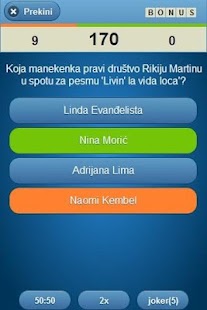
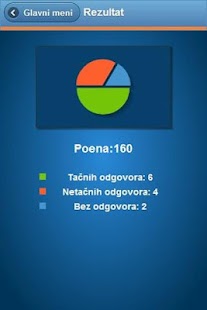
Koala Kviz Description
Koala Kviz je kviz igra sa 4 ponu?ena odgovora u kojoj je cilj da za 150 sekundi, uz pomo? svog znanja i mudrog koriš?enja raspoloživih pomo?i osvojite što ve?i broj poena. U verziji koja je pred Vama pitanja su podeljena u 13 setova i ozna?ena po oblastima. Nadamo se da ?ete uživati u našem prvom i svakom slede?em kvizu i da ?ete svojim konstruktivnim komentarima i sami doprineti razvoju kviz aplikacija.Whats new in Koala Kviz 1.7.1
Dodat novi set pitanja "Knjige i pisma".Download Koala Kviz 1.7.1 APK
Go to link download
Perbandingan Dropbox vs Google Drive vs SkyDrive
Perbandingan Dropbox vs Google Drive vs SkyDrive
Pada artikel ini, kita akan membandingkan layanan penyimpanan kepala tiga cloud ini
ADVERTISING

(Image Source: Jonas Rask)jasa penyimpanan Cloud begitu berguna saat ini karena menghemat ruang pada drive portabel Anda, smartphone atau komputer; sync semua file Anda di seluruh perangkat Anda, kompatibilitas cross-platform dan terbaik dari semua, Anda bisa mendapatkan ruang penyimpanan gratis. Berbagi file besar atau beberapa juga dibuat mudah sementara itu aman menyimpan file Anda jauh dari komputer publik.
Note: Artikel ini akan melibatkan banyak informasi mendalam yang mungkin panjang untuk membaca; jika Anda ingin perbandingan inti dari tiga layanan, memeriksa Tabel Perbandingan.
1. Ruang Penyimpanan
Setiap layanan menawarkan jumlah yang berbeda penyimpanan gratis dan berbagai ruang penyimpanan premium.Dropbox
Dropbox dimulai Anda pergi dengan 2GB penyimpanan gratis tetapi Anda mendapatkan fasilitas rujukan, yaitu 500 MB ruang tambahan untuk setiap teman yang Anda referensikan Dropbox untuk. Lebih dari 35 referral kemudian, Anda akan mampu menghasilkan maksimal 18GB, memberikan Anda grand total 20GB termasuk 2GB awal Anda.Untuk penyimpanan lebih, Anda dapat memilih untuk akun Dropbox Pro yang menawarkan 100GB, 200GB dan 500GB dari $ 9,99, $ 19,99 dan $ 49,99 per bulan masing-masing atau menyimpan 17% dengan membayar $ 99, $ 199 dan $ 499 tahunan.

Google Drive
Google Drive sudah tersedia dalam account Gmail Anda. Dari sana Anda mulai dengan 5GB senilai ruang penyimpanan. Ruang tambahan dapat dibeli dengan berbagai rencana (mulai dari 25GB ke 16TB). Upgrade ke rekening setiap juga akan memberikan jumlah yang sama penyimpanan di Picasa sementara Storage Gmail Anda upgrade ke 25GB.
SkyDrive
SkyDrive hadir dengan 7GB penyimpanan gratis. Mereka memiliki rencana upgrade yang termurah di antara 3 layanan yang dapat Anda lihat pada gambar di bawah. Mereka mengklasifikasikan upgrade mereka sebagai add-ons untuk 7GB Anda ruang; tidak seperti dua layanan sebelumnya. Karena mereka juga cukup baru ke TKP, tidak ada penyimpanan yang lebih besar berencana untuk menawarkan belum.
2. Supporting Platforms
Kita sekarang akan melihat lebih dekat apa platform setiap layanan cloud saat ini mendukung: Windows, Mac, Linux, iOS, Android, Windows Phone.Dropbox
Aplikasi desktop Dropbox tersedia pada Windows, Mac OS and Linux. Dropbox is also available on iOS, Android and BlackBerry. Dropbox adalah layanan hanya yang saat ini native mendukung Linux; dan juga satu-satunya layanan untuk mendukung BlackBerry.
Google Drive
tersedia untuk Windows dan Mac OS; Namun tidak seperti Dropbox, ia tidak memiliki dukungan asli untuk Linux dan bergantung pada program pihak ketiga. Dalam hal ponsel, Google Drive tersedia hanya diiOS and Android.
SkyDrive
SkyDrive SkyDrive sudah tersedia untuk Windows and Mac OS; seperti Google Drive, hal itu bergantung pada program pihak ketiga untuk itu harus digunakan pada Linux. Untuk dukungan platform mobile, SkyDrive adalah layanan hanya yang memiliki aplikasi mereka sendiri untuk Windows Phone; juga tersedia di iOS and Android.
3. Features
Kita sekarang akan melihat pada fitur unik dan umum yang dapat ditemukan di setiap layanan cloud.Dropbox
Selain ruang produktif penyimpanan melalui arahan, Anda bisa mendapatkan lebih banyak ruang bebas dengan menggunakan fitur Dropbox’s Camera Upload pada desktop atau smartphone. Dropbox juga memiliki fitur undo (versi) sejarah terbatas untuk tambahan $ 39 per tahun, hanya tersedia dengan akun Pro Dropbox.
Dropbox juga telah berhasil terintegrasi dengan Facebook Groups di mana Anda dapat berbagi file dari file dropbox untuk Grup Facebook Anda.

Google Drive
Google Drive memungkinkan Anda untuk menonaktifkan penghapusan otomatis versi lama yang berarti Anda dapat menyimpan semua revisi berkas selama yang Anda inginkan meskipun melakukan hal ini maxes keluar ruang penyimpanan Anda dengan cepat.
Ada batas ukuran file upload 10GB pada aplikasi desktop dan versi situs.
SkyDrive
Menginstal aplikasi desktop SkyDrive memungkinkan Anda untuk mengakses setiap file pada PC sudah terpasang di; sehingga selama PC Anda dihidupkan, terhubung ke internet dengan SkyDrive berjalan, Anda akan dapat mengakses semua file Anda melalui website SkyDrive.

Beberapa Fitur Umum
Version history. A Sebuah fitur yang tersedia pada semua layanan, file yang dihapus akan tetap utuh selama 30 hari sebelum dihapus secara permanen. Di Google Drive, Anda bisa menyimpan 100 revisi dokumen sementara SkyDrive menawarkan 25.Selective folder syncing. Tersedia dalam Dropbox dan Google Drive, ini memungkinkan Anda untuk melakukan sinkronisasi hanya file atau folder yang Anda butuhkan ketika Anda mengakses file Anda dari komputer lain. Tidak termasuk dalam SkyDrive.
Events tracking. Fitur lain yang tidak ditemukan di SkyDrive belum, ini memungkinkan Anda untuk memantau kegiatan pada folder atau suntingan pada file.
Customized sharing permission. Di Google Drive dan SkyDrive Anda tidak hanya dapat menyesuaikan siapa yang dapat melihat mana file, pengguna juga bisa secara bersamaan mengedit dokumen online dan mengomentari file. Berbagi di Dropbox terbatas hanya link download untuk akses ke file.
4. File Type Support
Anda dapat meng-upload semua jenis file ke awan tetapi Anda dapat melihat hanya jenis file yang didukung. Iif layanan tidak mendukung file, semua dapat Anda lakukan adalah men-download ke komputer Anda untuk melihat dan mengedit. Video dan gambar yang didukung pada semua tiga layanan, tetapi kita harus menunggu lebih lama untuk pemutaran audio merupakan pelanggaran hukum hak cipta (masih). Setiap layanan memiliki berbagai tingkat dukungan file.Dropbox
Dropbox tidak memiliki editor dokumen secara online yang berarti file hanya dapat didownload. Namun, untuk aplikasi Dropbox pada smartphone atau tablet, Anda dapat melihat file Microsoft Office, file Apel iWork, file audio / video, gambar, dan file PDF. Dokumen tidak dapat diedit dengan aplikasi tetapi dapat dibuka dengan aplikasi editing yang lain.
Google Drive
Situs Google Drive mendukung file yang unik seperti Adobe Illustrator (Ai) dan Photoshop (PSD) file, file Autodesk AutoCad dan Scalable Vector Graphics file. Anda juga dapat melihat dokumen Microsoft Office, tetapi hanya bisa mengeditnya setelah mengubahnya ke Google Docs jenis file.Aplikasi Google Drive tidak sepenuhnya mendukung melihat file yang unik seperti rekan situsnya tidak. Namun, Anda dapat melakukan pengeditan dasar file Google Docs dan melihat file film melalui app.

SkyDrive
Kebanyakan jenis file Microsoft Office dapat dilihat dan diedit berkat yang Microsoft Web App. Versi situs hanya mendukung pemutaran untuk MP4 dan file video WMV, sementara format video dan audio lain hanya dapat di-download. Situs ini juga mendukung slideshow untuk gambar dan file PowerPoint.SkyDrive aplikasi hanya memungkinkan Anda untuk melihat file dalam cara yang mirip dengan Dropbox.

5. Security
Menggunakan layanan penyimpanan awan berarti file Anda secara online. Situasi ini jauh lebih rentan daripada memiliki file terbatas pada komputer Anda di rumah. Tapi yakin bahwa layanan ini memiliki solusi untuk kesengsaraan keamanan Anda.Added Security
Dropbox dan Google Drive memiliki fitur verifikasi 2-langkah ketika log in ke account Anda melalui website. Sebuah email dan password login standar diikuti oleh kedua pukulan-in dari kode keamanan yang dikirim ke ponsel cerdas Anda dengan SMS atau dengan menggunakan Google Authenticator App (iOS / Android).
For Mobile
Dalam hal keamanan aplikasi mobile, Dropbox adalah satu-satunya aplikasi yang memiliki kode sandi 4-digit. Meskipun ini adalah fitur keamanan dasar, itu satu langkah di depan dari Google Drive dan SkyDrive.
Wrapping up
Berikut adalah ikhtisar singkat dari setiap layanan untuk membantu Anda menentukan layanan yang untuk memilih.Dropbox
Dropbox adalah alat berbagi kuat dan sederhana yang telah sekitar terpanjang di antara 3 layanan ini. Sistem rujukan untuk mendapatkan ruang penyimpanan juga unik dan crowdpuller besar. Hal ini juga sangat aman dengan verifikasi 2 langkah, dan kode sandi kunci 4-digit untuk aplikasi mobile. Manfaat lainnya termasuk native mendukung Linux dan Blackberry tidak seperti 2 layanan lainnya.Google Drive
Google Drive memiliki jenis file dukungan yang unik (file Adobe, AutoCad) yang membuatnya lebih mudah untuk melihat file-file secara online. Meskipun Anda dapat mengedit dokumen online, Anda harus mengubahnya menjadi dokumen Google yang mungkin mengacaukan format asli file yang Microsoft Office. Hal ini juga aman dengan verifikasi 2 langkah yang terkait seluruh akun Google Anda dan layanan lainnya.SkyDrive
SkyDrive agak dalam tahap awal menjadi layanan sedikit membaik dari Google Drive karena Microsoft Web Apps untuk mengedit secara online, dengan pengaturan pembagian yang sama dan fitur pengeditan simultan. SkyDrive juga mulai Anda dengan paling banyak ruang bebas. Fitur unik yang ditemukan di SkyDrive (tidak ditemukan di lain 2) adalah akses remote ke file pada PC Anda, dukungan asli untuk Windows Telepon dan kemampuan untuk mengambil catatan sync pada ponsel Anda melalui aplikasi OneNote.Setiap layanan memiliki kekuatan dan kelemahan yang mengapa satu layanan tidak selalu lebih baik dari yang lain. Jika Anda tidak yakin tentang yang mulai menggunakan, pergi ke depan dan mencoba semua 3. Afterall, mereka tidak dikenakan biaya apa pun dan Anda mendapatkan total 14GB penyimpanan online untuk memulai!
Table of Comparison
| Features |  Dropbox |  Google Drive |  SkyDrive |
| Free Storage | 2GB | 5GB | 7GB |
| Upgrade Pricing | 100GB $9.99/month or $99/year 200GB $19.99/month or $199/year 500GB $49.99/month or $499/year | 25GB $2.49 100GB $4.99 200GB $9.99 400GB $19.99 1TB $49.99 2TB $99.99 4TB $199.99 8TB $399.99 16TB $799.99 (monthly rate) Upgraded storage also applies to Picasa; additional 25GB to Gmail. | 27GB $10/year 57GB $25/year 107GB $50/year |
| Supported Platforms | Windows, Mac OS, Linux, iOS, Android, BlackBerry | Windows, Mac OS, iOS, Android | Windows, Mac OS, iOS, Android, Windows Phone |
| Features | Selective Folder Syncing, Events Tracking, Version History, Sharing Link, Facebook Group Integration | Selective Folder Syncing, Events Tracking, Version History, Sharing Permission Settings, Commenting on Files, Online Document Editor, Simultaneous Document Editing | Events Tracking, Version History, Sharing Permission Settings, Commenting on Files, Microsoft Office Web Apps (Word, PowerPoint, Excel, OneNote), Simultaneous Document Editing, Remote Access to Files on PC, OneNote Mobile App |
| Version History | 30 Days for All Files | 30 Days or 100 Document Revisions | 30 Days or 25 Document Revisions |
| File Upload Limit | Unlimited Through Desktop App, 300MB Through Website | 10GB Through Both Desktop App and Website | 2GB Through Desktop App, 300MB Through Website |
| Sharing | Simple Sharing Link | Customized Sharing and Access Settings | Customized Sharing and Access Settings |
| Security | 2-Step Verification, 4-Digit Passcode for Mobile App | 2-Step Verification Across All Google Services | Verification Code when Accessing PC Files Remotely |
| Supported File Types | Microsoft Office, Apple iWork, Audio, Video and Image Files | Adobe Illustrator (.AI) & Photoshop (.PSD), Autodesk AutoCad, Scalable Vector Graphics, Audio, Video and Image Files | Microsoft Office, Audio, Video and Image Files |
| Start Using Cloud Storage Today | Dropbox Website | Google Drive Website | SkyDrive Website |
Sumber hongkiat.com
Go to link download
Wednesday, March 29, 2017
Google has Acquired Fabric Twitter’s Mobile App Developer Platform
Google has Acquired Fabric Twitter’s Mobile App Developer Platform

Crashlytics was founded in 2011, but was acquired by Twitter at the start of 2013. The team continued to work out of Boston, Massachusetts and had an SDK that was used in over 1 million applications. They developed software that enabled iOS, Android and Unity developers to pinpoint the reasons why their applications were not stable (down to the exact line of code in some cases). By the end of 2016, it was announced that their software had been installed on over 2 billion active devices.
Almost two years after Twitter acquired Crashlytics, they announced Fabric. This was their expansion into mobile application analytics, beta distribution, and also user identity and authentication. We have talked about the project on multiple occasions here at XDA, and Fabric had become quite popular within the mobile developer community. This was Crashlytics’ first introduction of a modular SDK platform for the company. The modular functionality allowed developers to pick and choose which features they needed.
It’s fair to say that Twitter hasn’t had the best revenue stream over the last few years. As the company tries to reorganize their business model so they can become more streamlined, we’re seeing them cut back in certain areas. This was a big reason why they chose to turn Vine into a simple camera application recently. Since Twitter doesn’t feel Fabric plays a vital role in their social platform, they have been in talks to sell the technology along with the team to Google.
The team behind Fabric will now work under Google’s Developer Products Group and they’ll be working directly with the Firebase team. Both teams have a goal to help developers build better applications as well as helping them grow and scale their business too. We’ll have to wait and see what the end goal of this acquisition is. Whether or not Google will let Fabric continue to function independently, or if they simply want to fold the technology into Firebase.
Source: Fabric
Go to link download
Sunday, March 26, 2017
8 THINGS TO CONSIDER BEFORE APPLYING FOR GOOGLE ADSENSE
8 THINGS TO CONSIDER BEFORE APPLYING FOR GOOGLE ADSENSE
Are you a blogger? Do you blog for fun or do you want to monetize your blog? A successful blogger has fun while blogging yet wants to make a pretty penny in the process. Every blogger’s dream is to be able to make enough income from their blog to be able to quit their day job. If you are planning on monetizing your blog or you already have. You know about advertisements. One of the best ways to make money is by joining Google AdSense . Today you will learn about doing right things before applying for Google Adsense Approval.

Being accepted to Google Adsense is not an easy thing to do. Google Adsense is a pay per click system meaning the blog owner gets paid for every person who clicks on a google ad posted on their blog. It is one of the oldest and fastest ways to make money. The more traffic you have on your site, the more money you can make. This exact reason is why Google Adsense doesn’t accept just any blog.
If you have no traffic or no worthwhile content, you won’t be accepted. The more money you make, the more money Google makes. They want to make a lot of money, as do you. Therefore, they are particular about the blogs they advertise on. Google Adsense has the highest paying rates out of the advertisement networks which is why all bloggers want them. Plain and simple.
As mentioned, Google Adsense is quick to reject. After an unbelievable amount of blogging and research, we now know what you have to do to get accepted. Read the following information, Google Adsense Approval: Things to Do Before Applying for AdSense. If you don’t listen to the following recommendations, chances are your blog won’t be approved. AdSense adheres to certain rules that your blog must comply with.
COMMON ADSENSE REJECTION REASONS
- Insufficient content / Unacceptable site content
- Page Type / Design of your blog
- No Privacy Policy, About Us or Contact Us page
- Site Does Not Comply With Google AdSense Policies
Things to Consider before applying for Adsense:
1. Get a valid Gmail account. With that gmail account, sign up for a Blogger account.
2. Write relevant posts according to your niche. Keep posting for at least 6 months and make sure that the content is 100% original.
3. Write all your posts in English. This may help you to get approved faster.
• No spelling mistakes
• No grammar errors
• No spun or copied content, all content should be original and unique.
• No short posts, a post should generally be around 500 words. 300 at the very least.
• Your content makes sense, you’re not just ranting and raving about nothing.
• You have headings, sub-headings, numbered lists, or bullet lists. Your article or post need to be easy to read and scan.
4. Make sure that your age is 18+. You cannot participate in adsense if you are defined minor by Adsense. If you are under 18, get help from your parents.
Use your correct date of birth and age while applying for Google AdSense account.
Because Google AdSense is not for people who are under 18. Some people realize this problem after being disproved a few times without any legitimate reason.
So I advise you to be accurate while typing your age.
5. Get a good traffic to your blog. AdSense does not like paid traffic, at all. This is a big reason your AdSense application will be rejected. Do not buy traffic for your site. Even if your site has low traffic, as long as you are getting traffic honestly. Traffic can come from search engines, social media, advertising, and so on.
6. DOMAIN
If you can buy a domain name, get it. If you cannot you still can apply for adsense program. AdSense has different eligibility rules for few Asian countries from long ago. As for countries like Nepal, China and India, there is a requirement for users before applying for AdSense. Your domain age should be at least 6 months old if you want to apply for Google AdSense .
7. Important Pages:
Google wants to know your identity before you signup to their AdSense program. So make sure your create the following pages on your website as soon as possible.
- Privacy Policy
- Disclaimer Policy
- Terms of Usage
- Contact Us
- About Us (Write your name and address through which you applied the AdSense account)
In the about us section, clearly mention who you are, and why is this website made for, what is the benefit people get out of your website. The more clear, the better the chances of your approval. Keep your spelling mistakes, grammar and punctuation clear when you do this.
8. Add A Sitemap In Google Webmasters
Verify the existence of your newly created blog using Google webmaster tools. This is really important for new blogs with new content. Google takes some time to index the high quality content rich posts you’ve created. There are publishers who have 50+ posts, apply for Google adsense, within 3 days of newly created blog. The application is prone to get rejected because Google doesn’t know about these new post pages yet.
WHAT TO DO IF YOUR APPLICATION IS REJECTED?
Okay, so you had done trying everything you could to get approved by AdSense. But, AdSense is still not getting approved.
Well, It’s not the end of the world! ;)
There are two things you can do:
1: Don’t lose hope. Take your time to fix the issues on your blog that is mentioned by AdSense in rejection email and apply again. Remember, if you are disapproved, you can apply again and again until you finally get approved by Google AdSense. There’s no issue with that. Just use the same email account that you used for the first time.
2: There are many other trusted and high paying ads network you can use and trust me they are not hard as Google AdSense is in terms of getting approval. One door of opportunity is closed so the other one will open.
Watch video:
 |
| VIDEO ON GOOGLE ADSENSE APPROVAL |
I have shared 8 things to do before applying for Google AdSense. Apart from these, you should be 18+ to get an account.
In case you have any doubt regarding this article, you can reach out to me using the comment section down below. I will be more than glad to help you out.
Don’t forget to share this post with your social media peeps.
Go to link download
Google Desbloquear teléfonos con expresiones faciales
Google Desbloquear teléfonos con expresiones faciales

Google Play ID: com.LiveWallpapersUA.app0625
Version: 1.0
Size: 6.6Mb
Stone fireplace. LiveWallpaper Screen Preview


Stone fireplace. LiveWallpaper Description
Beautiful live wallpapers with high-quality wallpaper images and effects of light rain and water touch.Download Stone fireplace. LiveWallpaper 1.0 APK
Go to link download
Thursday, March 23, 2017
Google tiene miedo de Windows Phone
Google tiene miedo de Windows Phone

Google Play ID: com.geckoapps.algemenekennistest
Version: 1.07
Size: 17Mb
Kennis Quiz Screen Preview


Kennis Quiz Description
Hoe groot is jouw algemene kennis en trivia? Met deze leuke en leerzame quiz kun je er achter komen hoeveel je nu eigenlijk echt weet. Door middel van het goed (en binnen de tijd) beantwoorden van vragen kun je jouw niveau opkrikken. Je begint op het niveau van baby. De vragen worden echter met het niveau steeds een tikkeltje lastiger. Kun jij het hoogste niveau bereiken, en opscheppen tegenover je vrienden? Probeer het met de Algemene Kennis Quiz, en test jouw trivia! De vragen die worden gesteld lopen uiteen van, wetenschap, film, sport, kunst, geschiedenis, actualiteiten en ga zo maar door. Het is dus voor iedereen toegankelijk. Mocht je een vraag echt niet weten dan kun je altijd de hulp van je vrienden inschakelen, of een hulpmiddel in de app gebruiken. Zorg wel dat je het benodigd aantal diamanten verzamelt om zo naar het volgende niveau te kunnen! Features: - volledig GRATIS - DIRECT spelen; geen inlogprocedures of wachten op vrienden - honderden vragen - speciaal gemaakt voor Nederlanders - werk je op vanaf baby naar ...? Bepaal zelf je CARRIERE! - de leukste kennis-test van het web!Whats new in Kennis Quiz 1.07
- nieuwe levels! nu 12 ranks beschikbaar!Download Kennis Quiz 1.07 APK
Go to link download
Subscribe to:
Posts (Atom)