Showing posts with label badge. Show all posts
Showing posts with label badge. Show all posts
Tuesday, April 4, 2017
HOW TO GET YOUR FACEBOOK PAGE VERIFIED WITH BLUE BADGE
HOW TO GET YOUR FACEBOOK PAGE VERIFIED WITH BLUE BADGE
Hello friends, Hacklonepal is back again with this new post. I’ve seen a lot of people asking me about How to verify a facebook page . So I’ve decided to share some information regarding what I know about this facebook page verification topic. And I don’t like to give an introduction about What is Verified Profile or Page? ‘Coz everyone knows it. So I just like to directly come into the topic about how to verify your facebook page.
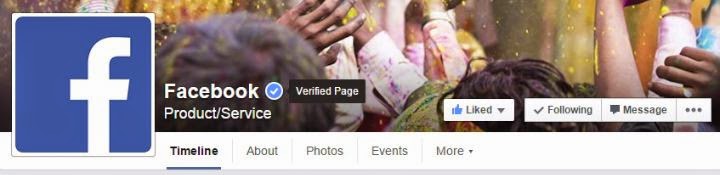
Before we talk about facebook page/profile verification, let’s see about who can do this verification process. Just like some other blogs, I don’t directly say that ‘do this process to get your page verified’. Because, some readers may read that info and follow that steps and later gets disappointed with bad results. So I just love to be frank with my blog readers. So that’s why I want to share only genuine information. For some pages, facebook automatically verifies and gives verified symbol. I’ve two friends who have automatically got verified badge for their artist pages. But we can’t expect that our pages too get automatically verified. So that’s why I want to share some procedure by which we can get verified badge by manual process. So let’s dig into the topic,
Who are eligible for facebook page/profile verification?
1) Celebrities and public figures – sports, media, politics and entertainment.
2) Global brands and businesses.
3) Government Officials.
So if you belong to any of those above categories, you can get your facebook page verified. To be frank, a normal person or a common man cannot get a verified page. Also, local businesses aren’t eligible for verification. I’ve seen a lot of people who applied for verification and mostly all got failed. So try to understand that it’s not an easy task to get our page verified. Ok, now read the below methods and gain some knowledge about what to do to get verified.
Types Of Facebook Page Verification :
There are two types of Facebook verification is going on the way. One type of verification gives you blue badge on the page and another one gives black badge on the page.
Blue Tick For The Below Category :
Which the black tick is for local businesses. This verification method is started in October 2015.
How To Verify Facebook Page With Black Tick ?
Well, this method is working in US,UK,Canada and Pakistan for the verification of local business pages.
Step 1 : First of all open your Facebook account and then open the page which you want to verify.
Step 2 : Now just go to setting of the page and change the category of the page to local business [Important] otherwise your page with not get verified.
Step 3 : Now fill up all information like about,found /starting date, enter the website also.
Step 4 : Add you a mobile number which is necessary to verify Facebook page.
Step 5 : Now go to info of page and copy the page ID.
Note : Only US,UK,Canada and Pakistan number will get the verification call and page will verify.
Step 6 : Now just go to below link and submit the request for verification.
Link : https://mbasic.facebook.com/pages/page_verification/verify_using_phone/?page_id=
Step 7 : Now just paste the page ID at the end of above URL and press enter.
Step 8 : Now enter the mobile number in Business Phone field and then click on call me now button
Step 9 : Now after some time, you will receive a call from Facebook which will give you the verification code.
Step 10 : Just enter the verification code and click on Submit.
Congratulation you are done on How to verify facebook page with black tick !!
Verify Page with blue tick:
Follow below steps to verify your Facebook page with blue tick :
Step 1 : First of all you need the following documents in order to verify your page.
NOTE : If your page belongs to above-mentioned categories then only your page may get verified.
Step 2 : Now just login to your Facebook account in which your Page which you want to verify is located.
Step 3 : Now fill up all information like about,found /starting date, enter the website, address and all other option. Don’t forget to complete About section. If you have an official website then must link your Facebook page box on it.
Step 4 : After this just click on below link to submit the verification request.
https://www.facebook.com/help/contact/356341591197702
NOTE : If above links do not work for you then log out from your account and re-login using USA proxy. For proxy, you can use Zenmate plugin and then open the above link again for verification request.
Step 6 : Now a new page will open up on the screen just select your page from the “Select Page” option box.
Step 7 : After this just upload your scanned copy of documents by clicking “Choose Files” option.
Step 8 : After this, if you have an official website of the page you are trying to verify then add its link there.
Step 9 : Now the final step is just to click on Send buttons.
Step 10 : That’s it you have successfully submitted the page verification request. Now just wait for some time you will get mail from Facebook regarding the process of verification.
Before we talk about facebook page/profile verification, let’s see about who can do this verification process. Just like some other blogs, I don’t directly say that ‘do this process to get your page verified’. Because, some readers may read that info and follow that steps and later gets disappointed with bad results. So I just love to be frank with my blog readers. So that’s why I want to share only genuine information. For some pages, facebook automatically verifies and gives verified symbol. I’ve two friends who have automatically got verified badge for their artist pages. But we can’t expect that our pages too get automatically verified. So that’s why I want to share some procedure by which we can get verified badge by manual process. So let’s dig into the topic,
Who are eligible for facebook page/profile verification?
1) Celebrities and public figures – sports, media, politics and entertainment.
2) Global brands and businesses.
3) Government Officials.
So if you belong to any of those above categories, you can get your facebook page verified. To be frank, a normal person or a common man cannot get a verified page. Also, local businesses aren’t eligible for verification. I’ve seen a lot of people who applied for verification and mostly all got failed. So try to understand that it’s not an easy task to get our page verified. Ok, now read the below methods and gain some knowledge about what to do to get verified.
Types Of Facebook Page Verification :
There are two types of Facebook verification is going on the way. One type of verification gives you blue badge on the page and another one gives black badge on the page.
Blue Tick For The Below Category :
- Celebrities and public figures – sports, media, politics and entertainment.
- Global brands and businesses.
- Government Officials.
Which the black tick is for local businesses. This verification method is started in October 2015.
How To Verify Facebook Page With Black Tick ?
Well, this method is working in US,UK,Canada and Pakistan for the verification of local business pages.
Step 1 : First of all open your Facebook account and then open the page which you want to verify.
Step 2 : Now just go to setting of the page and change the category of the page to local business [Important] otherwise your page with not get verified.
Step 3 : Now fill up all information like about,found /starting date, enter the website also.
Step 4 : Add you a mobile number which is necessary to verify Facebook page.
Step 5 : Now go to info of page and copy the page ID.
Note : Only US,UK,Canada and Pakistan number will get the verification call and page will verify.
Step 6 : Now just go to below link and submit the request for verification.
Link : https://mbasic.facebook.com/pages/page_verification/verify_using_phone/?page_id=
Step 7 : Now just paste the page ID at the end of above URL and press enter.
Step 8 : Now enter the mobile number in Business Phone field and then click on call me now button
Step 9 : Now after some time, you will receive a call from Facebook which will give you the verification code.
Step 10 : Just enter the verification code and click on Submit.
Congratulation you are done on How to verify facebook page with black tick !!
Verify Page with blue tick:
Follow below steps to verify your Facebook page with blue tick :
Step 1 : First of all you need the following documents in order to verify your page.
- Birth Certificate.
- CREATE GOVERNMENT PROOF FOR FREE BY CLICKING HERE
- Passport.
- Drivers License.
- Articles of Incorporation.
NOTE : If your page belongs to above-mentioned categories then only your page may get verified.
Step 2 : Now just login to your Facebook account in which your Page which you want to verify is located.
Step 3 : Now fill up all information like about,found /starting date, enter the website, address and all other option. Don’t forget to complete About section. If you have an official website then must link your Facebook page box on it.
Step 4 : After this just click on below link to submit the verification request.
https://www.facebook.com/help/contact/356341591197702
NOTE : If above links do not work for you then log out from your account and re-login using USA proxy. For proxy, you can use Zenmate plugin and then open the above link again for verification request.
Step 6 : Now a new page will open up on the screen just select your page from the “Select Page” option box.
Step 7 : After this just upload your scanned copy of documents by clicking “Choose Files” option.
Step 8 : After this, if you have an official website of the page you are trying to verify then add its link there.
Step 9 : Now the final step is just to click on Send buttons.
Step 10 : That’s it you have successfully submitted the page verification request. Now just wait for some time you will get mail from Facebook regarding the process of verification.
Go to link download

Friday, March 31, 2017
HOW TO GET YOUR STYLISH FACEBOOK ACCOUNT VERIFIED WITH BLUE BADGE
HOW TO GET YOUR STYLISH FACEBOOK ACCOUNT VERIFIED WITH BLUE BADGE
Hello friends, Tricks World is back again with this new post. I’ve seen a lot of people asking me about How to verify a facebook.

Here many of peoples know that verified account not locked or disable easily. This is Facebook policy that if account is verified then it will not locked by simple reports or many id using by a mobile. So many of peoples want verified facebook account. But they dont know how to verify. Some peoples pay for verified account and some beg for it. But now i am going to teach you a very simple method discover by us how to verify fb id.
Also Read : HOW TO HACK FACEBOOK ACCOUNT PASSWORD USING BRUTE FORCE ATTACK
Lets follow some steps:
STEP1 :- Creat a new Facebook Account. If u want in stylish font Then You can make in stylish font.
STEP2 :- Now take a government proof and click a pic of that.
STEP3 :- Now change your fb account name and date of birth according to Govt proof.
STEP4 :- Now copy this code =>> http://#24255353309 Remove # from code and comment this code in your own facebook profile pic.
STEP5 :- After comment you will see a error message. Press ok and Login again in your id.
STEP6 :- When you will login again fb will show you that your fb acount locked and asking for verification. Dont do any verification. Just open new tab in your browser and open this link ==>> https://www.facebook.com/help/contact/319547548123767 (or search on google ==>> verify my facebook id)
STEP7 :- Now upload your govt proof here.
STEP8 :- After that support inbox page come. save this page in your bookmarks. Open this page after 3-4 hour. You will see fb message that your account is verified.
STEP9 :- Now login your acount. Put your Date of birth in verification and open your account.
STEP10 :- GOTO This link and recover your old name and date of birth from here.
Also Read : How To Make Facebook Id Viral In 5 Minutes – 2017
Note : Normal people can’t get verified by this manual verification method! You must be already having some fame in your field so that the fb staff will check and decide your verification!
Go to link download
Subscribe to:
Posts (Atom)