Showing posts with label link. Show all posts
Showing posts with label link. Show all posts
Wednesday, April 19, 2017
Whatsapp Message Me Read More Link Kaise Add Kare
Whatsapp Message Me Read More Link Kaise Add Kare

Hello friends, is post me ham aapko batayenge ki whatsapp me read more link / button kaise add karte hai. Aap log ye baat acche se jante hai ki ye kitna popular messaging app hai. Lagbhag sabhi android and i phone users iska use karte hai.
Shayad aapne whatsapp me aise messages dekhe honge jinme ek chhote se message ke baad read more link add rehti hai jise click karne ke baad ham aage ka message padh paate hai.
Waise to yadi aap whatsapp me koi long message karte hai to kuch lines ke baad ye link automatic add ho jati hai, kyoki ye feature isme already diya hua hai but aapko yadi khud se ye link 1 line ke message ya koi chhote se message ke baad add karna hai to ye feature nahi diya.
Ham aapko is post me ek choti si whatsapp trick batayenge jiski madad se aap kisi bhi message me ye link add kar sakenge. Hamne iske pehle bhi whatsapp ki bohot si tricks post ki hai jinhe aap yaha click karke padh sakte hai. To chaliye jante hai.
Whatsapp Me Read More Link / Button Kaise Add Kare
1. Sabse pehle is 17 kb ki text file ko neeche di hui download link se download kare.
Download
2. Ab ise kisi text editor me open kare.( Note - Yadi aapke phone me pehle se koi text editor app nahi hai to aap play store se bhi koi text editor app install kar sakte hai. )
3. Aap is file ko open karenge to ye blank show hogi. Ise edit karke isme apna message type kare jo aapko link me hide karna hai.
4. Message type karne ke baad select all kare aur copy kare.
5. Whatsapp open kare aur jise message karna hai uske saath conversation launch kare.
6. Message box me jo 2-3 line ka message aapko show karna hai wo type kare uske baad space dekar copy kiya hua text waha paste kar de aur message send kare.
7. Send karne ke baad aap dekhenge ki aapko message me type kiya hua text bas show hoga aur uske neeche link show hogi. Isme click karne par aapko wo copy karke paste kiya hua text show hoga.
4. Message type karne ke baad select all kare aur copy kare.
5. Whatsapp open kare aur jise message karna hai uske saath conversation launch kare.
6. Message box me jo 2-3 line ka message aapko show karna hai wo type kare uske baad space dekar copy kiya hua text waha paste kar de aur message send kare.
7. Send karne ke baad aap dekhenge ki aapko message me type kiya hua text bas show hoga aur uske neeche link show hogi. Isme click karne par aapko wo copy karke paste kiya hua text show hoga.
Friends aap log seekh chuke hai ki whatsapp me read more link kaise add karte hai. Aapko ye post kaisi lagi hame comment me bataye aur ye whatsapp trick apne friends ke sath bhi share kare. Yadi aapko is trick se related koi problem ho rahi ho to aap hamse commenrmt me pooch sakte hai.
Go to link download

Sunday, March 5, 2017
Whatsapp Group Join Ki Link Kaise Banaye
Whatsapp Group Join Ki Link Kaise Banaye

Is post me ham janenge ki aap apne whatsapp group ki link kaise banaye.Aapka whatsapp me koi group hai aur aap us me bohot se members add karna chahte hai to aapko apni contact list bhi full karna padega aur ek ek karke sabhi ko add karna hoga. Jisme bahut jyada time lag jayega.
Is trick se aapko apne group ki link milegi jise aap social media me share karke apne members badha sakte hai. Is link me jo bhi click karega wo direct aapke group me join ho jayega chahe wo aapke phone ki contact list me ho ya na ho ye mayne nahi rakhta.
Whatsapp Group Join Ki Link Kaise Create Kare
1. Sabse pehle GB Whatsapp download kare.
Download
2. Download hone ke baad install kare aur open kare.
3. Iske baad apna mobile number fill kare aur sabhi step clear kare.
4. Ab jis group ki join link chahiye usme long press karke use select kare.
5. Select karne ke baad top right corner ke 3 vertical dots me tap kare usme aapko bohot se options show honge.
6. Group info option choose kare.
7. Add participant option me click kare.
8. Ab aapko sabse upar invite to group via link ka option show hoga usme click kare.
9. Is ke baad copy link me click kare.
10. Ab ise aap jaha chahe share kar sakte hai.
Is me jo bhi click karega wo direct aapke group me join ho jayega.
Whatsapp Group Link Se Fayde
? Kam samay me jyada members bana sakte hai.
? Koi link me click karta hai to wo direct aapke group me join ho jayega.
? link open karne wala aapki contact list me ho ya na ho, group join kar sakta hai.
? Is se aapko kisi member ka contact phone me nahi save karna padega.
? Isme aapko kisi ko bhi ek ek kar ke add karne ki jaroorat nahi hogi.
Aapko whatsapp group join ki link banane ki trick kaisi lagi hame comment me bataye, yadi aapka post se related koi question ho to aap hamse comment me pooch sakte hai. Hamari ye post ko social media me apne friends ke sath bhi share kare.
Go to link download
Tuesday, February 28, 2017
How to Verify Facebook ID Using Link Block Method
How to Verify Facebook ID Using Link Block Method
Why facebook are starts verifying certain pages and id’s? Actually, the answer to this question is very simple. As we all know that facebook can allow the same name for as many no of profiles anyone wants. But this is creating a mess for big brands and celebrities as some scammers make the profile of a certain brand and celebrity and post something which is not related to that person or brand at all. This is also a fake way to gain fame. So facebook start to verify celebrities and big brands so no one can defame them or use their name in for their purposes.

STEPS TO VERIFY FACEBOOK ACCOUNT:
1. Login your facebook account with desktop version
2. Just copy code from blow and comment it on any post.
Hi, Thanks for contacting us. The form you submitted is for people who can’t log into Facebook because their accounts have been disabled, but it looks like your account is active. If you think this is a mistake and you see a red box that says your account has been disabled when you try to log in, please resubmit this form using the email address on your account: https://www.facebook.com/help/contact/260749603972907/?ref=cr If you’re writing for a friend whose account has been disabled, please have your friend submit the form above using the email address on their own account. You can also find answers to common problems in the Help Center. If you’re having trouble with your password or logging in: https://www.facebook.com/help/login_and_password/?ref=cr If your account is posting spam or you think it’s been hacked: https://www.facebook.com/help/security/?ref=cr If you can’t use a feature (ex: send messages or friend requests): https://www.facebook.com/help/116393198446749/?ref=cr If you have another issue, please search the Help Center for more information: https://www.facebook.com/help/?ref=cr Please note that we can’t respond to replies to this email. View updates from your Support Inbox: https://fb.me/26JaTsFDgxnEccq Thanks, The Facebook Team
3. Click on that link, Your Id will ask for Mobile Number Verification And Proof/Identity.
3. After Your Id is Blocked Using this Link, Connect any Austrian Proxy and login your account »» Click On “I Am Having Trouble With This Step”.
4. Now Submit your Proof and If accepted you will Receive a Success message.
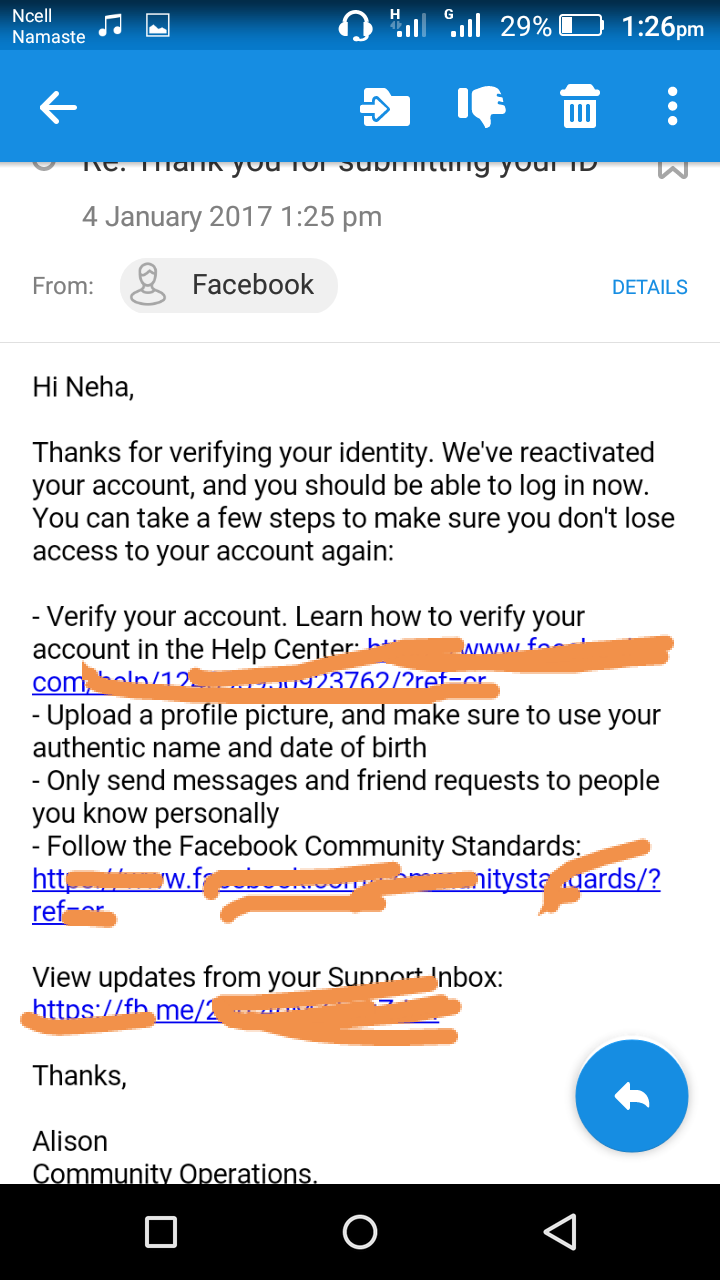
So this is it for the article How to Verify Facebook ID Using Link Block Method , if you have any problems or suggestion do let us know through your comments below and we will surely get back to you.
Some Acceptable Proof:
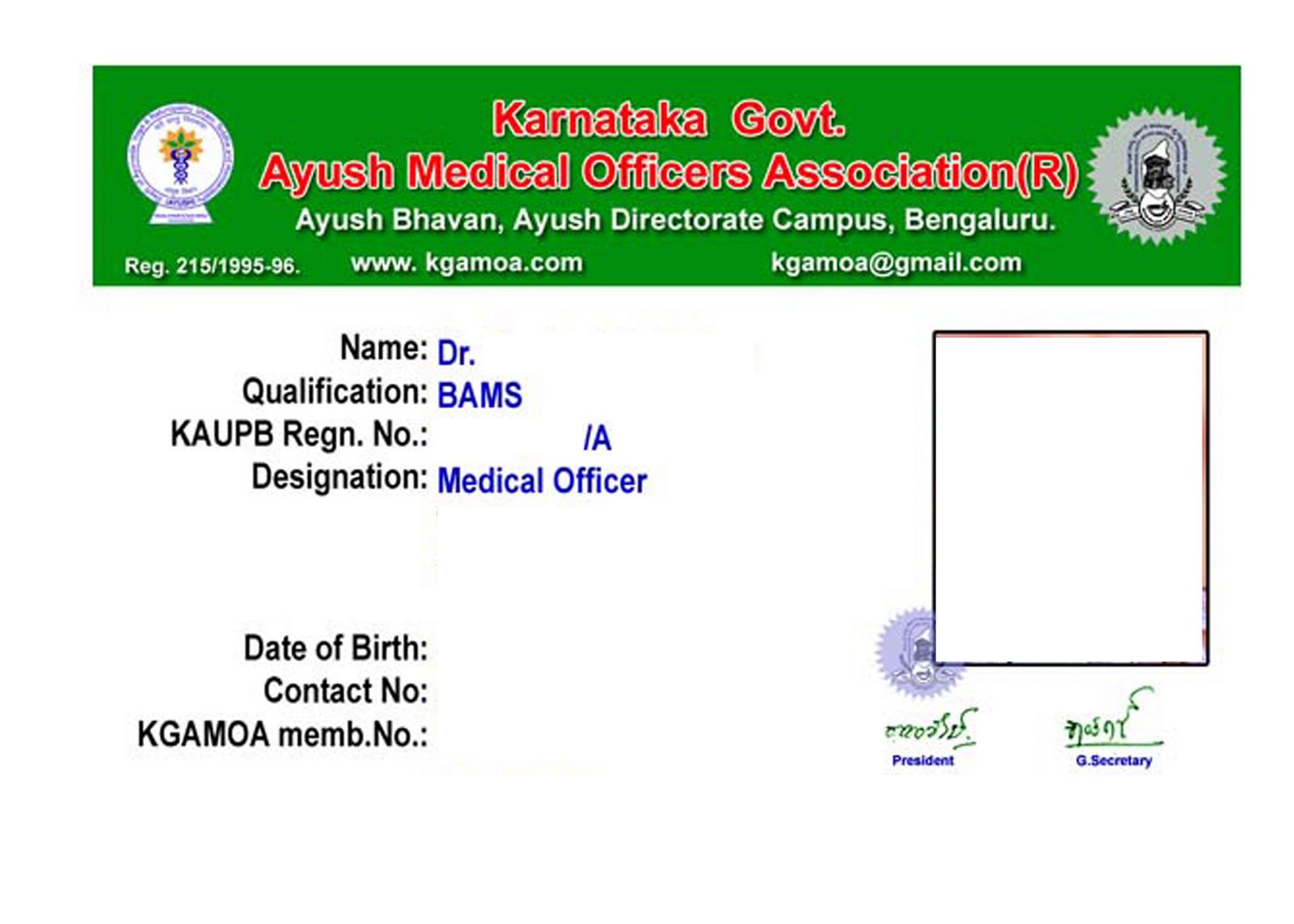
Download Proof Editor for android
Go to link download
Subscribe to:
Posts (Atom)