Showing posts with label call. Show all posts
Showing posts with label call. Show all posts
Sunday, April 23, 2017
Kisi Bhi Mobile Number Se Kisi Ko Bhi Call Kaise Kare
Kisi Bhi Mobile Number Se Kisi Ko Bhi Call Kaise Kare

Hello friends, Yadi aap kisi bhi number se kisi ko bhi call karna chahte hain aur aap ye trick dhoondh dhoondhkar pareshaan hai to aap bilkul sahi jagah par aaye hai. Kyoki ham aapko yaha par aisi trick batayenge jo 100% worked hai aur legal bhi hai. Is method ko call spoofing kehte hai.
> International United States Ke Number Se Whatsapp Account Kaise Banaye
Call Spoofing Kya Hai ?
Kisi bhi mobile number se ya apne manchahe mobile number se world ke kisi bhi number par call karne ki method ko call spoofing kehte hai. Ye work illigal kehlata hai aur use hackers log karte hai.
Ham yaha par jo trick bata rahe hai wo bilkul legal hai. Iske liye aapko kisi extra knowledge ya kisi programming skill ki jaroorat nahi hai. Yah sirf ek android app ke dwara sambhav hai. Is app ka naam caller id changer hai. Ye app play store par uplabdh nahi hai isiliye ise aap is post me di hui link se download kar sakte hai.
Note - Ye trick only fun and knowladge purpose ke liye hai isliye iska use sirf fun ke liye hi kare. Is trick ka use kisi illigal work ke liye ya aise purpose se na kare ki kisi dusre ka ya aapka nuksaan ho. Yadi aap iska use kisi illigal work ke liye karte hai aur aapko kisi bhi prakar ka nuksaan hota hai to iske jimmedar mai aur hindihelpz.com nahi honge, iske jimmedar aap khud honge.
Kisi Bhi Number Se Kisi Ke Mobile Number Par Call Kaise Kare
1. Sabse pehle caller id changer app download kare.
Download Caller Id Changer
2.Download hone ke baad install kare and open kare.
3. Ab aapko kuch is tarah ki screen show hogi, screenshot me dekhe.

1) Caller id - Isme aapko wo fake number fill karna hai jisse aap call karna hai.
2) To - Isme us person ka mobile number fill kare jise aap call karna chahte hai.
3) Dial - Is button ka use call karne ke liye karte hai.
4) Hang up - Is button ka use call cut karne ke liye karte hai.
5) Sound icon - sound icon me tap karke call ko loud speaker mode me kar sakte hai.
6) Balance - Isme aapko balance show hoga. First signup me aapko sirf 0.90 credits milte hai.
7) Setting icon - Isme click karne ke baad voice change option se apni voice ko male ya female me change kar sakte hai and play store se money pay karke credits buy kar skate hai.
2) To - Isme us person ka mobile number fill kare jise aap call karna chahte hai.
3) Dial - Is button ka use call karne ke liye karte hai.
4) Hang up - Is button ka use call cut karne ke liye karte hai.
5) Sound icon - sound icon me tap karke call ko loud speaker mode me kar sakte hai.
6) Balance - Isme aapko balance show hoga. First signup me aapko sirf 0.90 credits milte hai.
7) Setting icon - Isme click karne ke baad voice change option se apni voice ko male ya female me change kar sakte hai and play store se money pay karke credits buy kar skate hai.
Caller Id App Ke Disadvantage
1. Iska sabse bada disadvantage ye hai ki isme sirf 0.90 free balance milta hai jisse ki sirf 2-3 minute ki hi calling kar sakte hai. Yadi aur balance chahiye to money pay karke buy karna padta hai jo ki bohot costly hai.
But aapko pareshaan hone ki jaroorat nahi hai. Ham next post me ek trick batayenge jisse ki aap iske free balance ka fayda baar baar le sakte hai.
But aapko pareshaan hone ki jaroorat nahi hai. Ham next post me ek trick batayenge jisse ki aap iske free balance ka fayda baar baar le sakte hai.
2. Iska dusra sabse bada disadvantage ye hai ki iski voice quality bekaar hai jiski wajah se baat karte samay clear voice nahi aati.
3. Iska teesra disvantage ye hai ki kuch person iska use dusro ko nuksaan pahuchane ke liye ya wrong purpose ke liye karte hai jiski wajah se unhe kabhi kabhi police case ya dusri pareshaniyo ka shikaar ban jate hai.
Caller Id App Ke Fayde
1. Iska sabse bada fayda to khud hi jaan gaye honge ki isse aap kisi bhi mobile number se kisi bhi person ke mobile number par call kar sakte hai.
2. Isme jaroori nahi caller id 10 digit ka hi fill kare. Isme 10 digit se kam ya usse jyada ka bhi number fill kar sakte hai.
3. Caller id me country code +91 ki jagah other country ka bhi set kar sakte hai.
4. Is chhoti si trick se aap apne friends ko surprised kar sakte hai aur apne friends ke beech famous ho sakte hai.
Note - Ye trick only fun and knowladge purpose ke liye hai isliye iska use sirf fun ke liye hi kare. Is trick ka use kisi illigal work ke liye ya aise purpose se na kare ki kisi dusre ka ya aapka nuksaan ho. Yadi aap iska use kisi illigal work ke liye karte hai aur aapko kisi bhi prakar ka nuksaan hota hai to iske jimmedar mai aur hindihelpz.com nahi honge, iske jimmedar aap khud honge.
Friends aapko ye post kaisi lagi hame comment me bataye. Ye post apne friends ke sath share kare. Hamare blog ki new updates facebook me pane ke liye hamara facebook page like kare aur email me pane ke liye hamara blog subscribe kare.
Go to link download

Sunday, April 2, 2017
Dingtone App Se Free Call And SMS Kaise Kare
Dingtone App Se Free Call And SMS Kaise Kare

Pichli post me maine aapko bataya tha ki true balance app se free recharge kaise kare. Is post me mai aapko bataunga ki dingtone app se free call and sms kaise karte hai.
Dingtone ek android app hai jisme register karne par ham kuch free credits milte hai jiski madad se ham free calling and sms kar sakte hai.
Dingtone Se Free Call And SMS Kaise Kare
1. Sabse dingtone app download kare.
3. Sign Up button me click kare.
4. Apni country select kare aur apna mobile number enter kare. Iske baad upar ki taraf right me diye hue continue option me click kare.
5. Aapke enter kiye hue mobile number par 4 digit ka OTP aaya hoga use enter kare aur continue option me click kare.
6. Iske baad apna name enter kare aur continue me click kare.
7. Itna karne ke baad aapka dingtone account setup compelete ho jaega. Ab aap call aur message option me jakar kisi ko bhi free call and message kar sakte hai. Ye call and message dingtone me mile free credits se hota hai.
Download Dingtone
2. Install hone ke baad open kare.3. Sign Up button me click kare.
4. Apni country select kare aur apna mobile number enter kare. Iske baad upar ki taraf right me diye hue continue option me click kare.
5. Aapke enter kiye hue mobile number par 4 digit ka OTP aaya hoga use enter kare aur continue option me click kare.
6. Iske baad apna name enter kare aur continue me click kare.
7. Itna karne ke baad aapka dingtone account setup compelete ho jaega. Ab aap call aur message option me jakar kisi ko bhi free call and message kar sakte hai. Ye call and message dingtone me mile free credits se hota hai.
Dingtone Me Credit Kya Hai Aur Kitna Milta Hai
Jab dingtone me new account banate hai to 15 credtis free milte hai. India me 1 minute ki call ke lie 1.85 credit pay karna hota hai aur ek message karne ke liye 1.10 credit pay karna hota hai. Ye sabhi countries ka different hota hai. Ise aap calling rates option me jakar check kar sakte hai.
Free Credits Kaise Earn Kare
Aap 15 credits ke alawa aur bhi extra credits earn kar sakte hai kuch methods se. Free credits earn karne ke lie dingtone app open kare aur get free credits option ko open kare. Ab aapko ye options show honge.
1. Daily Free Credits
Isme bhi 2 options hai ek daily check in, ise aap daily din me ek baar open karne par 2 credits milenge aur doosra hai im feeling lucky, ise bhi daily din me ek baar open kar sakte hai, isme 1 credit milta hai.
2. Invite Friend
Is option se aap apne friends ko dingtone app download karne ke lie invite kar sakte hai. Yadi aapke dwara send ki gai invitation link se aapka koi friend ye app download karke usme register karta hai to aapko per friend 20 credits milenge.
3. Compelete Tasks And Surveys
Isme aapko kisi bhi type ka task diya jata hai, jise compelete karne par aapko free credits die jate hai. Task easy hi rehte hai, example - koi bhi app download karo, isme credit fix nahi rehta. Task ke hisab se credits die jate hai.
Dingtone App Ke Features
Dingtone app me calling and messaging ke liye aur iske alawa aur bhi bohot se acche acche features hai.
1. Walkie - Talkie
Yadi aapke phone aur aapke friend ke phone dono ke me ye app installed hai aur aap dono jyada doori me nahi hai to iska use walkie - talkie ke roop me bhi kar sakte hai, iske lie aapko credit ya kisi bhi prakar se kuch pay nahi karna padega, ye bilkul free hai.
2. Call Conference & Group Call
Is feature ki madad se 8 people ya isse kam group me baat kar sakte hai.
3. Call Recording
Is feature se aap koi bhi dingtone calls ko record kar sakte hai.
4. Get U.S. Phone Number
Dingtone me 100 credits pay kar ke u.s. ka phone number buy kar sakte hai aur us number se kisi ko bhi call and sms kar sakte hai.
Aapko ye post kaisi lagi hame comment me batayen, is post se related koi question ya pareshani ho to aap hamse comment me pooch sakte hai. Ye post apne friends ke sarh bhi share kare. Hamare blog ki new post email dwara pane ke lie hamara blog subscribe kare aur fb par pane ke liye hamara facebook page like kare.
Go to link download
How to make free call without sim card use Red international number
How to make free call without sim card use Red international number
Today we post free calling apps or
free calling trick without sim card , IN this trick you don’t need sim card for calling and its unlimited also by our trick. You just Download free app and then dial your friends number your call is connected then you can call freely also good feature is call quality is also very good so guys just try it.
How To Make Free Calls Without sim card

Just you need small internet for install this application.
1. Firstly Download Dingtone calling app CLICK HERE .
2. Install and Open Dingtone
3. Register For free account on it by entering name , profile, email and etc.
4. Accept terms and click on next
5. Done ! Now you can call freely without sim card.
Unlimited trick :
1. Now goto More option and click on get More Credit option.
2. Click on Refer and Earn option and then copy your refer link.
3. Now share it with your friends and earn upto 1000 free credit.
So friends this is the full guide for how to make free call without sim card. This app is really awesome and working very faster than other apps. The call quality is really very good.
Hope you guys like this trick. Share this trick with your friends if you like this trick. Keep visiting for latest updates.
free calling trick without sim card , IN this trick you don’t need sim card for calling and its unlimited also by our trick. You just Download free app and then dial your friends number your call is connected then you can call freely also good feature is call quality is also very good so guys just try it.
How To Make Free Calls Without sim card
Just you need small internet for install this application.
1. Firstly Download Dingtone calling app CLICK HERE .
2. Install and Open Dingtone
3. Register For free account on it by entering name , profile, email and etc.
4. Accept terms and click on next
5. Done ! Now you can call freely without sim card.
Unlimited trick :
1. Now goto More option and click on get More Credit option.
2. Click on Refer and Earn option and then copy your refer link.
3. Now share it with your friends and earn upto 1000 free credit.
DOWNLOAD DINGTONE CREDIT ADDER
Final Words :So friends this is the full guide for how to make free call without sim card. This app is really awesome and working very faster than other apps. The call quality is really very good.
Hope you guys like this trick. Share this trick with your friends if you like this trick. Keep visiting for latest updates.
Go to link download
Thursday, March 30, 2017
Call Recorder – ACR Premium v22 1
Call Recorder – ACR Premium v22 1

- Search
- Grouping recordings by date
- Auto email (Pro)
- Auto delete old recordings
- Marking recordings as important so they dont get auto deleted
- Multi select, delete, send
- Displaying contact name and photo
- Excluded numbers
- Auto or Manual (Pro) call recording
- Password protection of recordings
- Lots of recording formats
- Ability start delayed recording
- Different recording modes by number, contact, non-contact or just selected contacts
- Dropbox integration (Pro)
- Google Drive integration (Pro)
- WebDAV integration (Pro)
- FTP integration (Pro)
- And many more...
Do not use ACR in conjunction with other call recorders and try different recording formats (ogg,3gp,mp4,wav) to find best one for your phone
Some phones do not support call recording properly. This is due to capabilities of different chipset/CPU or Android version each brand/model have.
Legal:
We are not lawyers.
Recording calls without letting your caller know may not be legal in some countries, or states.

Downloads::??????
Call Recorder – ACR Premium v22.1 (5 MB)
Go to link download
Saturday, March 25, 2017
Call Of Duty Game Free Download For PC Full Version
Call Of Duty Game Free Download For PC Full Version
Call Of Duty Game Free Download For PC Full Version
Go to link download
Thursday, March 16, 2017
Call of Duty Strike Team v1 0 40 UNLOCKED APK DATA
Call of Duty Strike Team v1 0 40 UNLOCKED APK DATA

Call of Duty®: Strike Team
Call of Duty®: Strike Team delivers an all-new, first-person and third-person Call of Duty® experience built from the ground up for mobile and tablet devices. Fully customize your squad’s loadouts and abilities before leading them into combat in diverse gameplay environments. Call of Duty®: Strike Team features the revolutionary ability to dynamically switch from run-and-gun first-person view to reconnaissance and coordinated squad attacks in third-person view.
The year is 2020. Tensions run high amongst the world’s superpowers. In a surprise attack, the U.S. finds themselves in a war with an unknown enemy. Your mission is to lead a Joint Special Operations Team in a global effort to hunt down those responsible.
Features
- Play your way. Switch between first-person and third-person action at almost any time. Strategically customize the members of your squad with weapons, perks or body armor.
- CAMPAIGN MODE: Experience an immersive single-player campaign full of epic, cinematic moments in diverse locations around the world.
- SURVIVAL MODE: Put your skills to the test as you fight off waves of increasingly difficult enemies. Compete against family, friends and the Call of Duty®: Strike Team community for leaderboard domination.
MOD Info
- Unlocked Everything
How to Install & Play ?
- Uninstall any previous version if installed
- Download the APK and DATA according to your choice
- Now install the APK and copy/paste the data to android/sdcard/obb
- Start the game and play without any worries. Enjoy !

Screenshots
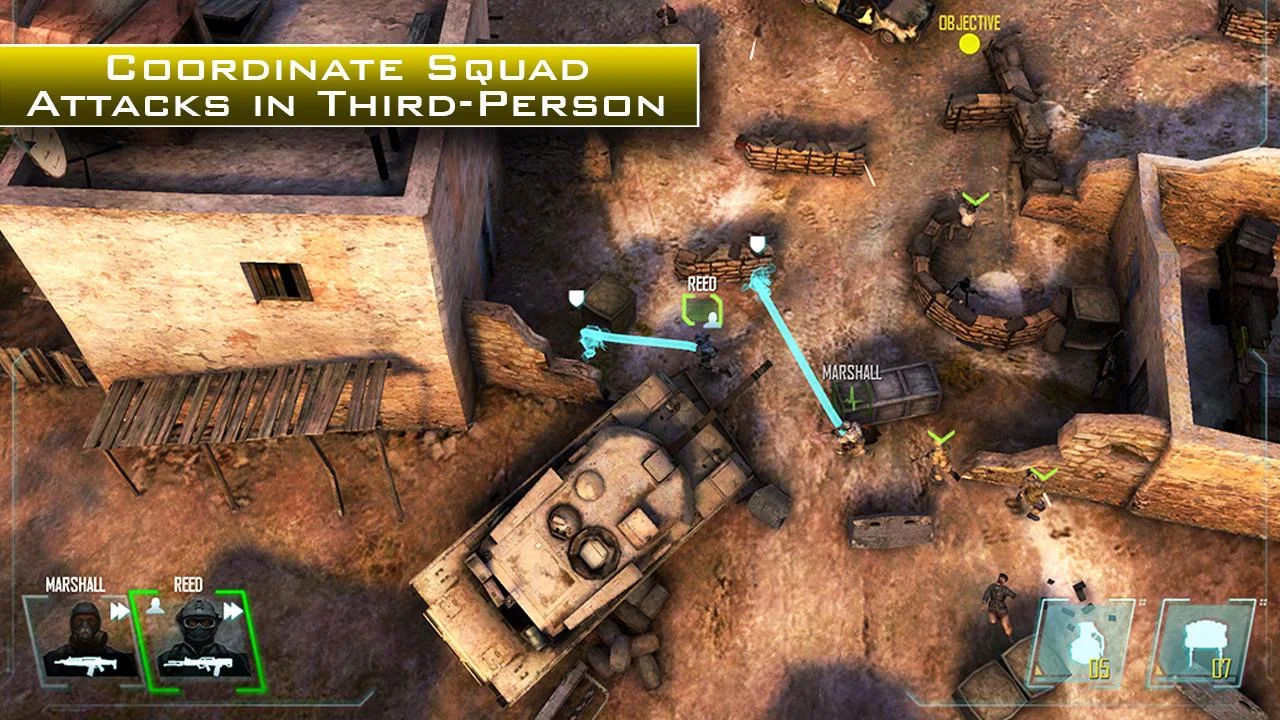

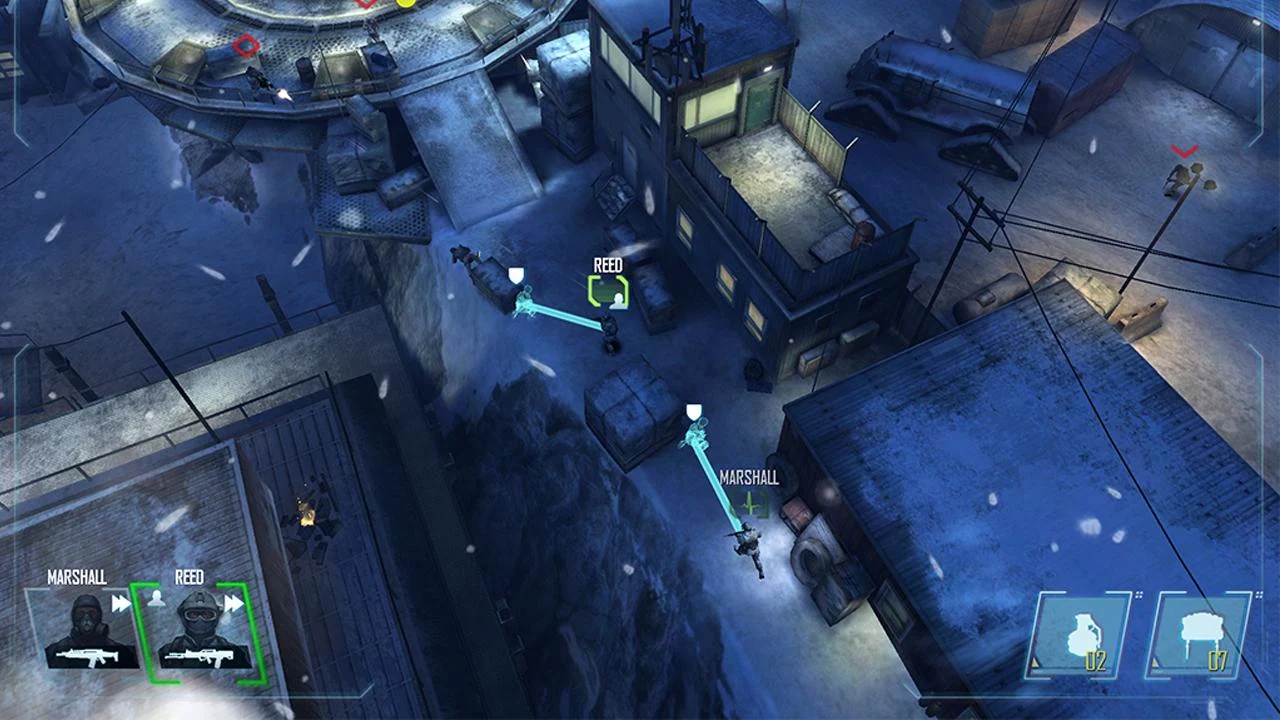
Android 4.0 and up
Downloads
Call of Duty®: Strike Team v1.0.40 (UNLOCKED) APK (36 MB) |Call of Duty®: Strike Team v1.0.40 DATA (972 MB)
Go to link download
Monday, March 13, 2017
Delete Hue Message Aur Call Log Wapas Kaise Laye Sms Backup And Restore
Delete Hue Message Aur Call Log Wapas Kaise Laye Sms Backup And Restore

Hi friends, is post me ham janenge delete hue message sms aur call logs ko wapas kaise late hai matlab ki inka backup kaise banate hai jarurat padne par restore karne karne ke liye.
Kabhi kabhi ham kuch sms aur call logs delete kar dete hai iski kai wajah ho sakti hai. jaise aapki sms memory full ho gayi ho, aap phone ko reset kar diye, dhokhe se ho gaye ho, aap apna phone change kar rahe ho etc. par inme se kuch important messages sms aur call logs hote hai jinki hame baad me jaroorat pad sakti hai.
Aap sabhi jante honge ki lagbhag sabhi phone me messages sms aur call logs phone memory me save rehte hai aur iski koi esi file bhi nahi banti jisko ham jaroorat padne par external storage me save kar sake.
Kuch apps rehte hai jinka use karke ham un messages ko save kar lete hai lekin wo aapko sirf us app me bas show honge orignal message show nahi hote, lekin ham aapko is post me jo trick bata rahe hai iske use se aap apne orignal sms aur call logs ko wapas restore kar sakte hai wo bhi orignal date and time ke sath.
Kabhi kabhi ham kuch sms aur call logs delete kar dete hai iski kai wajah ho sakti hai. jaise aapki sms memory full ho gayi ho, aap phone ko reset kar diye, dhokhe se ho gaye ho, aap apna phone change kar rahe ho etc. par inme se kuch important messages sms aur call logs hote hai jinki hame baad me jaroorat pad sakti hai.
Aap sabhi jante honge ki lagbhag sabhi phone me messages sms aur call logs phone memory me save rehte hai aur iski koi esi file bhi nahi banti jisko ham jaroorat padne par external storage me save kar sake.
Kuch apps rehte hai jinka use karke ham un messages ko save kar lete hai lekin wo aapko sirf us app me bas show honge orignal message show nahi hote, lekin ham aapko is post me jo trick bata rahe hai iske use se aap apne orignal sms aur call logs ko wapas restore kar sakte hai wo bhi orignal date and time ke sath.
Deleted SMS Aur Call Logs Ko Wapas Kaise Laye
Iske liye hame SMS Backup & Restore app ki jaroorat padegi jise aap play store se download kar sakte ya fir neeche ki download link me click kare.
Download
isme sabse pehle hame sabhi sms aur call logs ka backup banana hai aur iske baad ham janenge ki jaroorat padne par restore kaise karte hai.SMS Backup & Restore App se SMS Aur Call Logs Ka Backup Kaise Banate Hai.
1. Upar di hui link se app download kare aur open kare.
2. Backup option select kare.
3. Iske baad kuch option diye hue hai aap unhe apni suvidha ke anusar select kare aur ok me click kare.
4. Ok me click karne ke ke baad ek message show hoga usme yes me click kare.
5. Yes me click karne ke baad backup banna start ho jayega aur thodi der me compeleted ka message show hoga use close kar de.
2. Backup option select kare.
3. Iske baad kuch option diye hue hai aap unhe apni suvidha ke anusar select kare aur ok me click kare.
4. Ok me click karne ke ke baad ek message show hoga usme yes me click kare.
5. Yes me click karne ke baad backup banna start ho jayega aur thodi der me compeleted ka message show hoga use close kar de.
Aapke messages aur call logs ka backup successfully ban gaya hai ab hame ye janna hai ki hamare phone se ye delete ho jane par restore (wapas) kaise karte hai.
SMS Backup & Restore App Ki Madad Se Deleted SMS Aur Call Logs Ko Restore Kaise Karte Hai
1. App open kare aur restore option choose kare.
2. Iske baad options ko apni suvidha ke anusar select kare aur backup me click kare.
3. Iske baad aapke calls and message restore ki processing shuru ho jayegi aur thodi der me compeleted ka message show hoga.
2. Iske baad options ko apni suvidha ke anusar select kare aur backup me click kare.
3. Iske baad aapke calls and message restore ki processing shuru ho jayegi aur thodi der me compeleted ka message show hoga.
Aap apne message aur call logs dekhenge to payenge ki sabhi wapas aa gaye hai.
Read Also :
? Android Phone Factory Reset Karne Se Pehle Kare Ye 5 Steps.
? Android phone ki notification ko save kaise kare.
? Android phone me images, videos, songs and apps hide kaise karte hai.
? Top 5 apps android smartphone ki screen record karne ke liye.
Mobile Phone Ko Reset Karte Samay Backup Ko Kaise Save Kare.
Friends ham phone ko reset karte hai to hamare message, call logs, phone memory ke apps, files sab delete ho jati hai aur sath hi hamara ye backup bhi delete ho jayega isilye hame ise sd card me move karne ki jaroorat padegi.
1. Sd card (phone memory) open kare.
2. Android folder open kare.
3. Data file open kare.
4. iske baad com.riteshsahu.SMSBackupRestore name ki file hogi use open kare.
5. Iske baad files name ka folder hoga use open kare.
6. Yaha par aapke sabhi backup honge unhe select all karke external sd card me move kare.
2. Android folder open kare.
3. Data file open kare.
4. iske baad com.riteshsahu.SMSBackupRestore name ki file hogi use open kare.
5. Iske baad files name ka folder hoga use open kare.
6. Yaha par aapke sabhi backup honge unhe select all karke external sd card me move kare.
Fir aap apna phone reset karne ke baad dubara SMS backup & restore app install kare aur un backups ko external sd card se dubara phone memory ke usi folder me move ya copy kar de jaha se hamne inhe find kiya tha. iske baad aap inhe restore kar sakte hai.
Friends aapko ye trick kaisi lagi hame comment me bataye aur hamara fb page like kare.
Go to link download
Subscribe to:
Posts (Atom)