Showing posts with label etc. Show all posts
Showing posts with label etc. Show all posts
Friday, April 28, 2017
DND Service Kaise Activate Kare Idea Bsnl Airtel Reliance etc me
DND Service Kaise Activate Kare Idea Bsnl Airtel Reliance etc me
Is post me ham janenge idea, bsnl, airtel, reliance, vodafone etc. sim me DND kaise activate karte hai. sabse pehle ham jaan lete hai ki DND service aakhir hoti kya hai aur iska kya use hai.
DND kya hai ?
DND ka full form hota hai Do Not Disturb.
Aap chahe jo bhi company ki sim use karo, aapki sim me rojana kai tarah ke offer se related bahut se calls and messages aate hai. inme se kuch call hamari sim ke offers se related bhi rehte hai. in calls me aako tarah tarah ke offers, recharge plans, message plans, caller tune, dialer tune, product promotion etc. rehte hai. inme se kuch sahi rehte hai kuch farji rehte hai. wese bhi aaj kal koi bhi is tarah ke call and message ko ignore kar dete hai, lekin hame kya pata ki kiska call ya msg hai isliye hame dekhna to padta hi hai. jis se hamara samay barbaad hota hai. kabhi kabhi to inke piche hame apne jaroori kaam ko chhodkar tak apna samay barbaad karna padta hai. yadi ham in sabhi numbers ko ek ek kar ke blacklist me save kare to puri list full ho jayegi aur samay alag barbaad hoga fir bhi ham sabhi numbers ko block nahi kar payenge.
Isliye DND hame is type ke call and messages se bachne ki suvidha deta hai. to chaliye dekhte hai.
DND Service Kaise Start Kare
DND service activate karne ke liye hame 1909 me call ya message karna hota hai. ise ham 2 tariko se kar sakte hai fully aur partially. fully me is type ke sabhi calls and messages block ho jate hai aur partially me aap jo service aapko pasand nahi hai unko bas block kar sakte hai. jaise maan lo aapko beauti tips se related call and messages pasand nahi hai to aap chahe to inhe bas block kar sakte ho baaki ke chaalu rahenge.
DND Fully Activate
DND full activate karne ke liye message box me START 0 type kare aur 1909 me send kare ya 1909 me call kare.
DND Partially Activate
1. Banking, Insurane, Financial Products, Credit Card se related calls and messages ko block karne ke liye message box me START 1 type kare 1909 me send kare.
2. Real estate se related calls and messages ko band karne ke liye message box me START 2 type kare 1909 me send kare.
3. Education se related calls and messages block karne ke liye START 3 type kare aur 1909 me send kare.
4. Health se related calls and messages ko band karne ke liye START 4 type kare aur 1909 me send kare.
5. Consumer goods and automobiles se related calls and messages ko block karne ke liye START 5 type kare aur 1909 me send kare.
6. Communication, broadcasting, entertainment, it se related calls and messages ko band karne ke liye START 6 likhkar 1909 me send kare.
7. Tourism se related calls and messages ko block karne ke liye START 7 likhkar 1909 me send kare.
Yadi aapne is service ko pehle activate kiya hai apna subscription status is LINK me jakar check kar sakte hai.
Read Also:
? Android Phone Ki Speed Kaise Badhaye - 5 Tips.
? Android Phone Factory Reset Karne Se Pehle Kare Ye 5 Steps.
? Idea internet data plan share kaise kare.
DND Searvice Activate Karne Se Pehle In Points Ko Dhyan Rakhe
1. Aap DND service ke liye apply karte hai to ise activate hone me 7 din ka samay lag sakta hai.
2. DND service aapko personal, third party, banking alerts, online booking, banking communication ke calls and messages ko block karne ki suvidha nahi deta.
3. Yah service puri tarah se free hai, iske liye aapko kisi bhi prakar ka charge nahi lagta.
4. Upar bataye hue sabhi sms and messages bhi is number ke liye free hai.
DND Service Deactivate Kaise Kare
Aapne DND service start kar liye hai aur yadi aapko baad me lagta hai ki is se aapke koi jaroori calls and messages block ho gaye hai to aap ise deactivate kar sakte hai.
Deactivate karne ke liye STOP message likhkar 1909 me send kare. isme bhi 7 din ka samay lag sakta hai.
Deactivate karne ke liye STOP message likhkar 1909 me send kare. isme bhi 7 din ka samay lag sakta hai.
Ye jankari apne friends ke sath bhi share kare. Esi hi aur bhi jankari and tricks fb me pane ke liye hamara fb page like kare aur email me pane ke liye hamari website subscribe kare.
Go to link download

Thursday, April 27, 2017
1 Android phone me 2 2 whatsapp messenger fb etc kaise chalate hai
1 Android phone me 2 2 whatsapp messenger fb etc kaise chalate hai
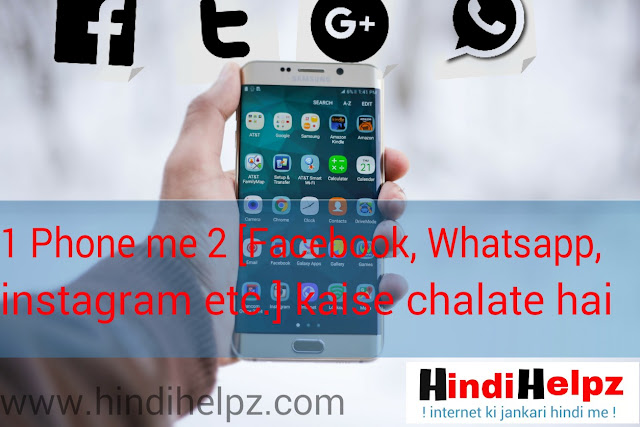
How to run 2 whatsapp, 2 facebook app, 2 messenger etc. in 1 mobile ?
Ek mobile me 2 whatsapp, 2 fb, 2 messenger etc. kaise chalate hai ?
Ye sawal mujhse bohot se peoples ne poocha. aaj ham isi trick ke bare me janenge. wese to aap is question ko Google me search karenge to aapko bohot se results milenge but unme se aapko 20% post hi esi milengi jisme is bare me true jankari ho, baaki ki sab f5ake rehti hai. lekin me aaj aapko jo trick batane ja raha hu wo 100% work karegi.
aaj ki generation ke lagbhag 80% whatsapp ka use karte hai, lekin ham ise ek phone me ek hi number se chala sakte hai, jabki android phone dual sim ke rehte hai. theek isi prakar fb me bhi sabhi ke 2-3 account rehte hai. is wajah se ham sochte hai ki kaas ye apps do - do rehte to kitna accha hota. is trick se aap chahe to aapke phone ke jitne bhi apps hai sabki 2 - 2 copy kar sakte hai.
1 Phone me 2 - 2 whatsapp, messenger, instagram kaise chalate hai
1. Sabse pehle parallel space app download kare niche di hui Download button me click karke.

3. jis app ka clone banana ( double karna ) hai usme click kare.
4. Click karte hi us app ka clone ban jayega.
Also read:
? Facebook messenger me basketball kaise khelte hai.
? Facebook me color text kaise likhte hai.
? Whatsapp me friend ki profile pic change kaise karte hai.
Ab aapko us app ka home screen me shortcut banana hai to us app me long press kar ke rakhe, aapko neeche ki taraf do option show honge. 1) Create shortcut 2) Delete . aap create shortcut me us app ko swipe kar de. yadi aapko shortcut nahi banana hai to aap Parallel space app open karke bhi us app ko chala sakte hai. isi tarah aapko jis - jis app ka aapko clone banana hai aap bana sakte hai.
Parallel space app ke features
1. Isme pattern protection diya hua hai.
2. Bina rooted phone me bhi work karta hai.
3. Task manager bhi diya hua hai is app me.
4. legal app hai, Google play store me bhi uplabdh hai.
5. kisi bhi app ka clone without loading ke banta hai.
6. jis app ka bhi clone banana ho bana sakte hai. same process hai.
Friends is post se related koi bhi pareshani ho to aap hamse comment me pooch sakte hai. Ye post apne friends ke sath bi share kare aur hamara Fb page like kare.
Go to link download
Sunday, March 26, 2017
Play Store Apps Games Ke Credits Money License Etc Free Me Buy Kaise Kare
Play Store Apps Games Ke Credits Money License Etc Free Me Buy Kaise Kare

Hello friends maine pichli post me aapko bataya tha ki play store ke koi bhi apps and games free me download kaise kare. But isme bhi ek aur problem hai ki kuch apps & games ko powerful banane ke liye credits, money, license etc. ki requirement hoti hai jiske liye hame google play payment method ke throw money pay karna hota hai. Lekin is post me ham aapko ek aisi trick bata rahe hai jiski madad se aap inhe free me buy kar sakenge.
Example ke liye ham subway surfers game aur picsart game le lete hai. Subway surfers me yadi hame jyada coins chahiye to paise pay karna padega. Aise hi yadi picsart me stickers, fonts, themes etc. extra chahiye to bhi money pay karna hota hai.
Play Store Ke Apps & Games Ke Credits, Money, License Etc. Free Me Kaise Buy Kare
Requirement :
1. Rooted android phone
2. Internet connection
> Android Phone Ko Without PC Root Kaise Kare.
Method :
1. Sabse pehle neeche di hui link se freedom app download kare.
Download Freedom
2. Download hone ke baad install kare and open kare.
3. Ab aapse root permission poochi jayegi use grant kare.
4. Iske baad aap dekhenge ki aapke phone ke play store se install kiye hue jitne bhi apps hai sabhi show honge.
5. Ab jis app ke liye kuch buy karna hai use open kare.
6. Iske baad jo bhi cheez buy karna hai kare.
7. Aap dekhenge ki buy karne par bina payment kiye payment successful show hoga aur jo aapne buy kiya hai wo successfully buy ho jayega.
Note - :
1. Jis app ke liye koi cheez buy karna hai to use freedom app ke andar se hi open kare. Direct open karke buy karenge to nahi hoga.
2. Ye trick sabhi apps me work nahi karti but kaafi saari applications me work karti hai.
Friends aapko ye post kaisi lagi hame comment me bataye. Ye post apne friends ke sath share kare. Hamare blog ki new updates facebook me pane ke liye hamara facebook page like kare aur email me pane ke liye hamara blog subscribe kare. ork karti hai.
Go to link download
Subscribe to:
Posts (Atom)