Showing posts with label play. Show all posts
Showing posts with label play. Show all posts
Tuesday, April 25, 2017
Youtube Video Background Me Kaise Play Kare
Youtube Video Background Me Kaise Play Kare

Is post me mai aapko bohot hi kaam ki trick batane wala hu. Youtube video background me kaise play karen? Yadi ham youtube me videos dekhte hue koi other work karna chahen to nahi kar sakte hain kyoki yadi ham koi other work karte hain ya youtube ko minimize karte hai to video stop ho jati hai. Isiliye ham ye trick lekar aaye hain.
Wese to internet me bohot si tricks moujood hain jinki madad se aap youtube videos ko background me play kar sakte hain but in tricks ki requirement heavy hoti hain jaise ki aapka phone rooted hona chahiye etc. But is post me di gai tericks se aap non rooted phone me bhi youtube videos ko background me play kar sakte hai wo bhi bohot easy method se.
> Android Phone Ke Youtube App Me Ads Block Kaise Kare
> Youtube Videos Ko Song Aur Video Me Convert Kaise Kare
> Youtube Videos Ko Song Aur Video Me Convert Kaise Kare
Is post me batayi gayi tricks ki madad se aap youtube videos ko background me play kar ke apna manchaha other work bhi kar sakte hain. Yadi aapko apne phone me koi application use karna hai, games khelna hai ya koi doosra work karna hai to wo bhi aap aasani se bina kisi problem ke kar sakte hain aur aapki youtube video bhi background me chalti rahegi.
Youtube Videos Ko Background Me Play Kaise Kare
Mai yaha par 2 methods bataunga jinki madad se aap easily youtube videos ko background me play kar sakenge.
First Method - Awesome Pop-Up Video
1. Sabse pehle neeche di hui link se awesome pop-up video app download kare aur open kare.
3. Ab window ka size apne hisaab se change karen.
Download
2. Ab search box youtube video search kare jo aapko dekhna hai aur play karen ya url box youtube video ka url paste kare.3. Ab window ka size apne hisaab se change karen.
Iske baad aap jo bhi karna chahe kar sakte hain. Ye app youtube ke similar hai. Isme aapko sabhi youtube videos mil jayengi.
Second Method - Flytube
1. Sabse pehle neeche di hui link se flytube app install kare aur open kare.
Download
2. Iske baad search box me wo youtube video search kare jo aapko dekhna hai aur play kare.Iske baad aapko jo bhi app run karna hai kar sakte hai. Ye app awesome pop-up video app ki tarah hi hai.
Friends aapko ye post kaisi lagi hame comment me bataye aur aapko is post se related koi problem ho to bhi comment me pooch sakte hai. Ye post apne friends ke sath share kare. Hamare blog ki new updates facebook me pane ke liye hamara facebook page like kare aur email me pane ke liye hamara blog subscribe kare.
Go to link download

Saturday, April 1, 2017
OAuth Request Crafter Tool that helps you to play with OAuth signature protected URLs
OAuth Request Crafter Tool that helps you to play with OAuth signature protected URLs

OAuth Request Crafter is a tool that helps you to play with OAuth signature protected URLs.
Features
- Support GET,POST,PUT and DELETE
- Proxy the Request
- Tamper URL, Parameters & Headers on the GO
- Add additional Headers and Cookie
Why ?
- When dealing with OAuth signature protected URLs, For tampering or issuing a request, Everytime you have to use some tool to generate a valid signature and nonce protected parameters and add it to your proxy to make a successful request.
- This is a pain since you have to do this manually for every single request.
- OAuth Request Crafter will solve that problem by automating everything.
- Provide it with CONSUMER KEY and CONSUMER SECRET and OAUTH TOKEN AND TOKEN SECRET (optional)
- Make Request tamper the URL, Parameters and Headers on the Go.
Download OAuth Request Crafter
Go to link download
Monday, March 27, 2017
Play Store Ke Paid Apps Free Me Kaise Download Kare
Play Store Ke Paid Apps Free Me Kaise Download Kare
Friends aap log to jante hi honge ki mobile phones ke maamle me android phones ka sabse bada market hai aur internet par bhi abdroid apps bohot jyada quantity me moujood hai. Android apps ka sabse bada market google play store hai. Hame koi bhi apps ki jaroorat padti hai to sabse pehle playstore me hi search karte hai. Lekin kabhi kabhi kai apps paid hote hai jinke liye hame money pay karna hota hai.
Kai logo ke paas debit / credit card nahi hota to kuch log money problem ki wajah se paid applications buy nahi kar paate. Isi problem ko dekhte hue ham aapke liye ye trick lekar aaye hai jiski madad se aap playstore ke koi bhi paid apps ko free me download kar sakte hai.
Play Store Ke Paid Apps Free Me Download Kaise Kare
Iske liye aapko ek application ki jaroorat padegi jiska naam hai blackmart. Ye bhi playstore ki tarah app store hi hai. Jo bhi app developers playstore me apps upload karte hai wo isme bhi karte hai. Ye bhi kaafi famous hai. Iski khaasiyat ye hai ki isme sabhi apps aapko free me milenge jabki play store me kuch apps paid hote hai.
Download Blackmart
Ooper di hui link se blackmart download kijiye aur jo bhi app ya game download karna ho use search karke aasani se download kar sakte hai bina koi payment kiye.
Friends aapko ye post kaisi lagi hame comment me bataye. Ye post apne friends ke sath share kare. Hamare blog ki new updates facebook me pane ke liye hamara facebook page like kare aur email me pane ke liye hamara blog subscribe kare.
Go to link download
Sunday, March 26, 2017
Play store ki common Error ko fix kaise kare
Play store ki common Error ko fix kaise kare
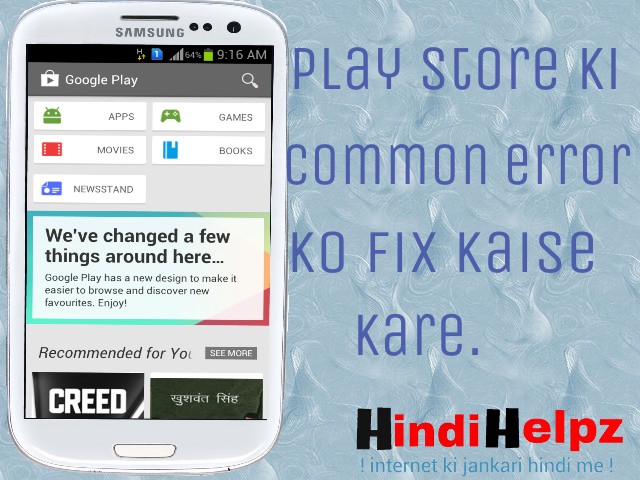
Hello readers, Aaj ham janenge Play store ki common errors ko fix kaise kare. Jaisa ki aap sab jante hai aajkal 80% mobile users android phone ka use karte hai aur android ka market bohot bada hai. android phone rehte hue ham apps and games ka use na kare ye to namumkin hai. ham lagbhag 85-86% apps and games Play store se download karte hai aur other games and apps dusri sites se. Lekin kabhi kabhi hota ye hai ki jab ham koi app play store download karte hai to hame ek specific code ke saath error ka message show hota hai aur kaafi koshiso ke baad bhi wahi message show hota hai aur haar mankar ya to ham use download hi nahi karte ya to fir phone reset kar dete hai. isiliye aaj ham janenge play store ki errors ke solutions. Solutions jaanne se pehle ham wo specific code janenge jo hame message me show hote hai.
* Youtube se video aur song download kaise kare, bina kisi software ke.
Play store Error codes
1. Play store error DF-BPA-09
2. Play store error 194
3. Play store error 495
4. Play store error 941
5. ~~~~~~~~~~ rh01
6. ~~~~~~~~~~ rpc:s-5:aec
7. ~~~~~~~~~~ 504
8. ~~~~~~~~~~ 505
9. ~~~~~~~~~~ 491
10. ~~~~~~~~~ 498
11. ~~~~~~~~~ 919
12. ~~~~~~~~~ 413
13. ~~~~~~~~~ 497
14. ~~~~~~~~~ 921
15. ~~~~~~~~~ 403
16. ~~~~~~~~~ 944
17. ~~~~~~~~~ 406
18. ~~~~~~~~~ 923
19. ~~~~~~~~~ 492
20. ~~~~~~~~~ 101
21. ~~~~~~~~~ 481
22. ~~~~~~~~~ 927
23. ~~~~~~~~~ 961
24. ~~~~~~~~~ 911
25. ~~~~~~~~~ 920
26. ~~~~~~~~~ 24
27. ~~~~~~~~~ rpc:aec:0]
28. ~~~~~~~~~ RPC:S-3
29. ~~~~~~~~~ 924
30. ~~~~~~~~~ 110
31. ~~~~~~~~~ 940
32. ~~~~~~~~~ 906
33. ~~~~~~~~~ 907
34. ~~~~~~~~~ 963
* 10 whatsapp tricks, jo shayad aap nahi jante
In sabhi errors ke solution alag-alag hai aur kuch ek jaise hai. lekin me yadi sabhi points ke baare me alag- alag likhu to post bhi lambi ho jayegi aur aapko yaad rakhne me bhi pareshani hogi. me inka solutions kuch is tarike se bata raha hu ki aapko sabse pehle 1st point try karna hai, yadi error fix nahi hoti to fir 2nd, fir bhi nahi hoti to 3rd. is tarah se baari baari line se aapko try karte jana hai.
Play store ki common error ko fix kaise karte hai
1. Restrat your phone
Aapko apne phone ko restrat karna hai.
Restart karne ki process
1) Power button ko hold kare rakhe thodi der tak.
2) Ab ek popup aayega usme Restrat me click kare.
thodi der wait karne ke baad aapka phone restrat ho jayega. uske baad playstore open karke try kare.
* Android phone se free sms kese kare
2. Clear cache and App data
Play ka cache aur data clear karna hai.
Iske liye steps
1) Apne phone ka menu open kare.
2) Setting open kare.
3) Applications manager open kare.
4) Play store me click kare.
5) Clear cache me click kare uske baad clear data me click kare.
Ab play store open karke app download karke dekhe.
3. Remove gmail account
Is step me hame gmail account ko remove karke phone restart karna hai uske baad fir se gmail accoun add karke try karna hai.
Gmail account remove karne ki process
1) Phone ki setting open kare.
2) Account and sync me click kare
3) Apne gmail account me click kare.
4) Remove account me click kare.
5) Phone ko restart kare.
6) Setting open karke Account and sync me click kare.
7) Add account me click kare.
8) Apni gmail id aur password daal ke save kar de.
Ab play store open kare aur try kare
* Whatsapp me friend ki profile pic kaise change kare.
4. Uninstall Update
Yadi aapne play store ko update kiya tha to use uninstall kare.
Update uninstall karne ki process
1) Setting open kare aur application manager me jaye.
2) Play store me click kare.
3) Uninstall updates me click kare.
Ab play store open kare aur app download kar ke dekhe.
5. Uninstall unuseful apps
Kabhi-kabhi internal storage full hone ki wajah se phone me space nahi reh jata hai. isiliye jo bhi apps and games aapke kaam ke nahi hai unhe uninstall kare.
Apps uninstall karne ke liye process
1) Setting open kare aur Application manager me jaye.
2) jis app ko uninstall karna hai usme click kare.
3) uninstall me click kare
4) is tarah se baaki ke unuseful apps and games uninstall kare
uninstall karne ke baad try kare.
* Facebook me sabhi friend requests ek click me kaise accept kare
6. Remove old gmail account and add new gmail account
Kabhi-kabhi esa ho jata hai ki aapke gmail account me koi problem aa gayi ho. To aap apna old account ko remove kare aur new gmail account banakar add kare.
7. Reset your phone
Yadi aap upar ke 6 steps ajma ke dekh liye aur fir bhi aapki pareshani door nahi hui ho to aapke paas last option hai . aap apna mobile phone reset kare.
Phone reset karne ki process
1. Setting open kare.
2. Back up and reset me click kare.
3. Factory data reset me click kare.
Itna karne ke baad aapki problem jaroor solve ho jayegi.aur yadi fir bhi na ho raha ho to comment kare.
Friends aapko ye post acchi lagi ho to hamara Fb page like karna na bhoole.
Go to link download
Play Store Apps Games Ke Credits Money License Etc Free Me Buy Kaise Kare
Play Store Apps Games Ke Credits Money License Etc Free Me Buy Kaise Kare

Hello friends maine pichli post me aapko bataya tha ki play store ke koi bhi apps and games free me download kaise kare. But isme bhi ek aur problem hai ki kuch apps & games ko powerful banane ke liye credits, money, license etc. ki requirement hoti hai jiske liye hame google play payment method ke throw money pay karna hota hai. Lekin is post me ham aapko ek aisi trick bata rahe hai jiski madad se aap inhe free me buy kar sakenge.
Example ke liye ham subway surfers game aur picsart game le lete hai. Subway surfers me yadi hame jyada coins chahiye to paise pay karna padega. Aise hi yadi picsart me stickers, fonts, themes etc. extra chahiye to bhi money pay karna hota hai.
Play Store Ke Apps & Games Ke Credits, Money, License Etc. Free Me Kaise Buy Kare
Requirement :
1. Rooted android phone
2. Internet connection
> Android Phone Ko Without PC Root Kaise Kare.
Method :
1. Sabse pehle neeche di hui link se freedom app download kare.
Download Freedom
2. Download hone ke baad install kare and open kare.
3. Ab aapse root permission poochi jayegi use grant kare.
4. Iske baad aap dekhenge ki aapke phone ke play store se install kiye hue jitne bhi apps hai sabhi show honge.
5. Ab jis app ke liye kuch buy karna hai use open kare.
6. Iske baad jo bhi cheez buy karna hai kare.
7. Aap dekhenge ki buy karne par bina payment kiye payment successful show hoga aur jo aapne buy kiya hai wo successfully buy ho jayega.
Note - :
1. Jis app ke liye koi cheez buy karna hai to use freedom app ke andar se hi open kare. Direct open karke buy karenge to nahi hoga.
2. Ye trick sabhi apps me work nahi karti but kaafi saari applications me work karti hai.
Friends aapko ye post kaisi lagi hame comment me bataye. Ye post apne friends ke sath share kare. Hamare blog ki new updates facebook me pane ke liye hamara facebook page like kare aur email me pane ke liye hamara blog subscribe kare. ork karti hai.
Go to link download
Monday, March 20, 2017
Play Store Me Aa Gaya Prisma Photo Editor Android User Ke Liye
Play Store Me Aa Gaya Prisma Photo Editor Android User Ke Liye

Android users ka bahut dino ka intezar ab khatm hua kyoki prisma app ab playstore me bhi uplabdh hai.
Friends aap logo ko bata de ki prisma app sabse pehle iphone users ke liye bas uplabdh tha. is app ko iphone ke liye bhi launch hue abhi jyada samay nahi hua hai aur ye bahut jyada famous ho gaya hai.
7 Kuch dino pehle android users ke liye sirf iska beta version bas uplabdh tha jo acche se work nahi kar raha tha, lekin ab yah play store me uplabdh hai. ab iska lutf android users bhi utha sakte hai.
Isko sabse jyada pasand kare jane ki wajah hai iske effects, isme bahut sare acche accge paintings effects hai jo aapki photo ko ek alag hi look dete hai. is app ke jaise effects aapko android ke kisi application me nahi milenge.
Prisma ke founder ke mutabik ye app daily lagbhag 7 lakh baar download kiya jata hai. is app ka use 1.55 millions peoples karte hai aur is app ke throw abhi tak lagbhag 400 millions+ photos edit ki ja chuki hai. ab itni baate jaankar aap log andaza laga sakte hai ki ye kitna accha app hoga.
Ye app playstore me 24-06-2016 ko add kiya gaya hai. jaisa ki ye sabse pehle iphone users ke liye launch kiya gaya tha to kuch logo ne playstore me iske name se related fake app bhi upload kar diye hai. aur yadi aap play store me prisma ko search karenge to wo fake apps bhi aate hai. isliye uski downloading link mene yaha di hui hai. aap is link se direct play store se ye app download kar sakenge.
Friends aap logo ko bata de ki prisma app sabse pehle iphone users ke liye bas uplabdh tha. is app ko iphone ke liye bhi launch hue abhi jyada samay nahi hua hai aur ye bahut jyada famous ho gaya hai.
7 Kuch dino pehle android users ke liye sirf iska beta version bas uplabdh tha jo acche se work nahi kar raha tha, lekin ab yah play store me uplabdh hai. ab iska lutf android users bhi utha sakte hai.
Isko sabse jyada pasand kare jane ki wajah hai iske effects, isme bahut sare acche accge paintings effects hai jo aapki photo ko ek alag hi look dete hai. is app ke jaise effects aapko android ke kisi application me nahi milenge.
Prisma ke founder ke mutabik ye app daily lagbhag 7 lakh baar download kiya jata hai. is app ka use 1.55 millions peoples karte hai aur is app ke throw abhi tak lagbhag 400 millions+ photos edit ki ja chuki hai. ab itni baate jaankar aap log andaza laga sakte hai ki ye kitna accha app hoga.
Ye app playstore me 24-06-2016 ko add kiya gaya hai. jaisa ki ye sabse pehle iphone users ke liye launch kiya gaya tha to kuch logo ne playstore me iske name se related fake app bhi upload kar diye hai. aur yadi aap play store me prisma ko search karenge to wo fake apps bhi aate hai. isliye uski downloading link mene yaha di hui hai. aap is link se direct play store se ye app download kar sakenge.
DOWNLOAD PRISMA
Yadi aap logo ko bhi photo editing aur photo me acche acche paintings effect ka shonkh hai to is app ka use jaroor kare. is app me 30 + effects hai.
Friends ye post apne friends ke sath bhi share kare. Aisi hi tips and tricks hindi me fb me pane ke liye hamara fb page like kare.
Go to link download
Subscribe to:
Posts (Atom)